【grub问题】丢失deepin默认的grub界面
Tofloor
poster avatar
hewro
deepin
2017-05-22 22:08
Author
前几天执行了一个啥命令,不记得了

然后deepin的grub默认的很好看的界面丢失了

启动的时候,先显示这个错误信息界面


然后显示了一个很丑的grub引导界面,好像是Ubuntu grub

不影响开机

请问如何恢复呢?
Reply Favorite View the author
All Replies
avatar
hewro
deepin
2017-05-22 22:10
#1
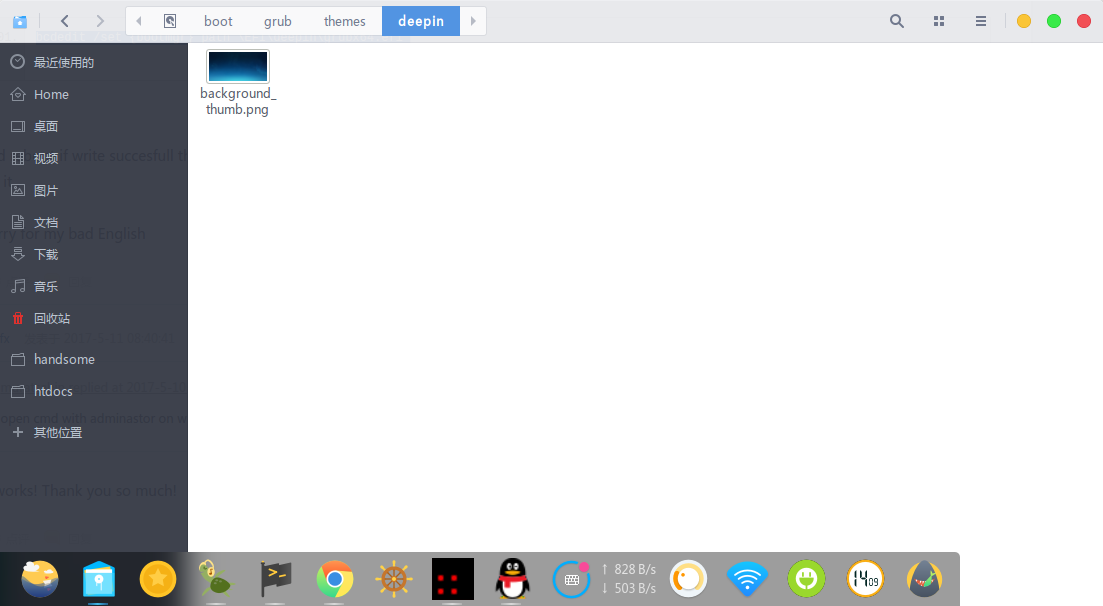
/boot/grub/themes/deepin 文件件只剩了一张背景图片了
Reply View the author
avatar
hewro
deepin
2017-05-22 22:12
#2
还有一个问题,是系统音效没了?但是设置里面音效开关是开着的


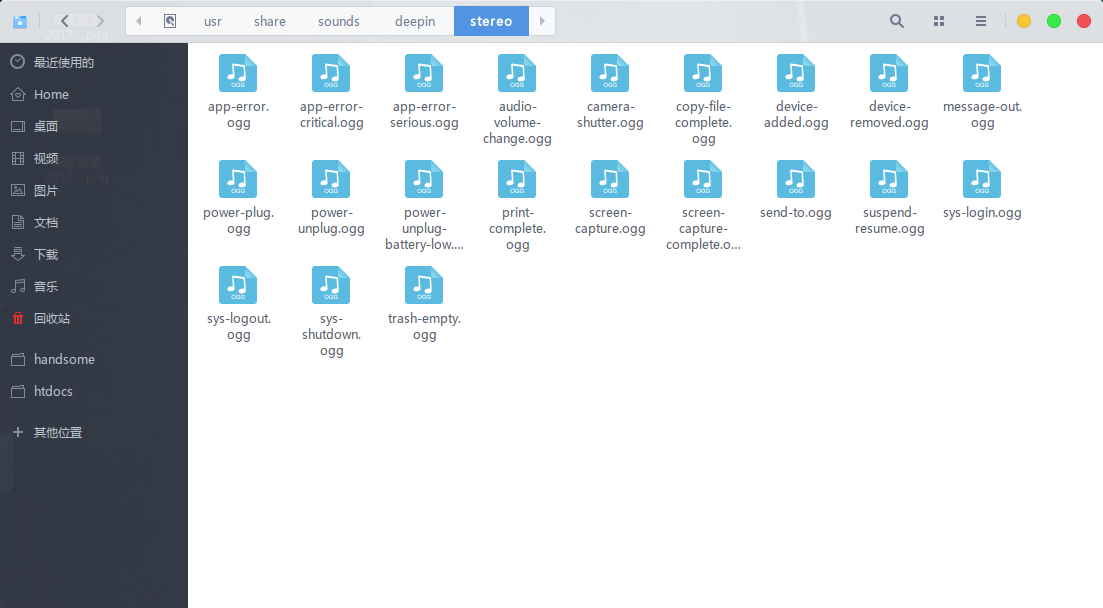
看了一下音效文件,都是存在的


Reply View the author
avatar
wangyingtao
deepin
2017-05-22 23:02
#3
解压后覆盖掉你的目录试试
Reply View the author
avatar
hewro
deepin
2017-05-22 23:50
#4
https://bbs.deepin.org/post/139829
解压后覆盖掉你的目录试试

grub 好了
Reply View the author
avatar
hewro
deepin
2017-05-22 23:51
#5
音效那个仍然不知道咋解决
Reply View the author
avatar
wangyingtao
deepin
2017-05-23 00:45
#6
执行下面两条命令看一下,贴下结果输出,有没有听到开机音效?先手动去点击目录下的sys-login.ogg看能不能播放声音

  1. deepin@deepin-PC ~ $ [color=Red]dbus-send --print-reply --type=method_call --dest=com.deepin.daemon.SoundEffect /com/deepin/daemon/SoundEffect org.freedesktop.DBus.Properties.Get string:'com.deepin.daemon.SoundEffect' string:'Enabled'[/color]
  2. method return time=1495442521.781497 sender=:1.254 -> destination=:1.253 serial=3 reply_serial=2
  3.    variant       boolean true
  4. deepin@deepin-PC ~ $ [color=Red]dbus-send --print-reply --type=method_call --dest=com.deepin.daemon.SoundEffect /com/deepin/daemon/SoundEffect com.deepin.daemon.SoundEffect.PlaySystemSound string:'sys-login'[/color]
  5. method return time=1495442529.427547 sender=:1.254 -> destination=:1.256 serial=4 reply_serial=2
  6. deepin@deepin-PC ~ $
Copy the Code
Reply View the author
avatar
hewro
deepin
2017-05-23 00:52
#7
https://bbs.deepin.org/post/139829
执行下面两条命令看一下,贴下结果输出,有没有听到开机音效?先手动去点击目录下的sys-login.ogg看能不能 ...

执行命令过程在中没有任何音效

手动点开音效文件可以听到声音,是正常的

命令的输出

hewro@hewro-PC:~$ dbus-send --print-reply --type=method_call --dest=com.deepin.daemon.SoundEffect /com/deepin/daemon/SoundEffect org.freedesktop.DBus.Properties.Get string:'com.deepin.daemon.SoundEffect' string:'Enabled'


method return time=1495443091.009853 sender=:1.189 -> destination=:1.188 serial=3 reply_serial=2
   variant       boolean true

hewro@hewro-PC:~$ dbus-send --print-reply --type=method_call --dest=com.deepin.daemon.SoundEffect /com/deepin/daemon/SoundEffect com.deepin.daemon.SoundEffect.PlaySystemSound string:'sys-login'

method return time=1495443097.391287 sender=:1.189 -> destination=:1.191 serial=4 reply_serial=2
hewro@hewro-PC:~$

Reply View the author
avatar
wangyingtao
deepin
2017-05-23 01:02
#8
命令行 sudo deepin-feedback-cli 提交下日志吧
Reply View the author
avatar
hewro
deepin
2017-05-23 05:19
#9
https://bbs.deepin.org/post/139829
命令行 sudo deepin-feedback-cli 提交下日志吧

deepin-feedback-cli-Deepin-15.4-all-20170522-211641.tar.gz

已经上传了
Reply View the author
avatar
wangyingtao
deepin
2017-05-23 19:06
#10
相关人员正在查看日志,稍后回复。
Reply View the author
avatar
electricface
deepin
2017-05-23 19:15
#11
打开两个终端
一个终端执行命令:

  1. killall soundeffect;env DDE_DEBUG_LEVEL=debug /usr/lib/deepin-daemon/soundeffect
Copy the Code

然后在上一个终端命令执行退出之前,再用另一个终端执行命令:
  1. dbus-send --print-reply --type=method_call --dest=com.deepin.daemon.SoundEffect /com/deepin/daemon/SoundEffect com.deepin.daemon.SoundEffect.PlaySystemSound string:'sys-login'
Copy the Code


请把命令的输出都贴出来。
Reply View the author
avatar
hewro
deepin
2017-05-23 19:52
#12
本帖最后由 hewro 于 2017-5-23 11:57 编辑
https://bbs.deepin.org/post/139829
打开两个终端
一个终端执行命令:

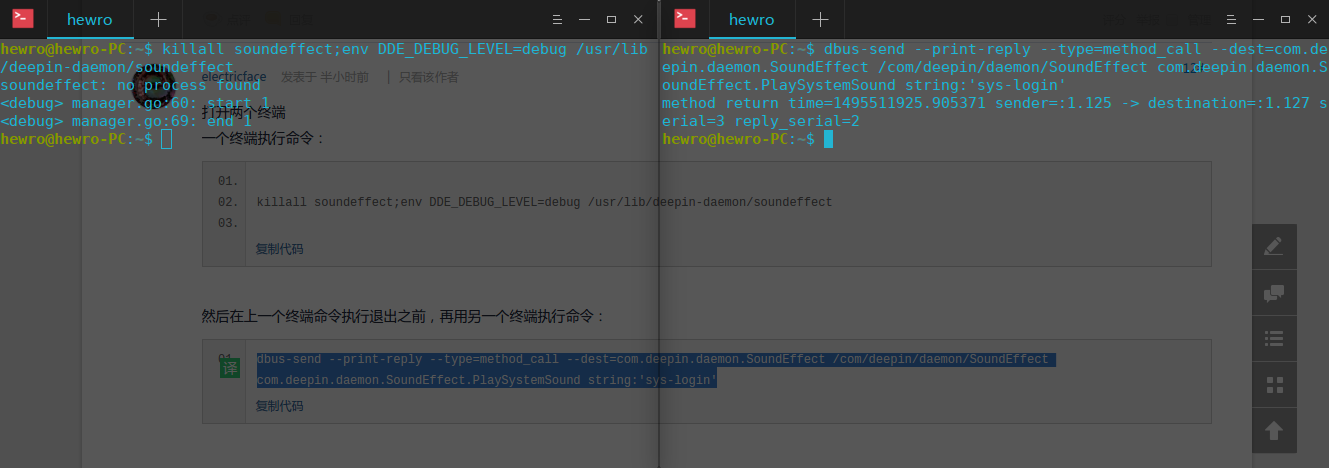
hewro@hewro-PC:~$ dbus-send --print-reply --type=method_call --dest=com.deepin.daemon.SoundEffect /com/deepin/daemon/SoundEffect com.deepin.daemon.SoundEffect.PlaySystemSound string:'sys-login'

method return time=1495511801.047213 sender=:1.122 -> destination=:1.124 serial=3 reply_serial=2

hewro@hewro-PC:~$ killall soundeffect;env DDE_DEBUG_LEVEL=debug /usr/lib/deepin-daemon/soundeffect

soundeffect: no process found
manager.go:60: start 1
manager.go:69: end 1


Reply View the author
avatar
hewro
deepin
2017-05-23 19:59
#13

Reply View the author
avatar
comzhong
deepin
2017-05-23 20:17
#14
不会是系统文件被删除了吧?
Reply View the author
avatar
electricface
deepin
2017-05-23 21:17
#15
执行命令
rm ~/.cache/event-sound-cache*
试试
Reply View the author
avatar
hewro
deepin
2017-05-24 00:06
#16
https://bbs.deepin.org/post/139829
执行命令
rm ~/.cache/event-sound-cache*
试试

只有注销的时候,又音效

开机和调整音量都没有音效
Reply View the author