
请问怎么导入openvpn设置?
Tofloor
poster avatar
nearchan
deepin
2017-05-20 08:18
Author
一般openvpn都是配好给客户端使用的,请问怎么导入?
http://www.zhixing123.cn/ubuntu/ubuntu-openvpn-settings-tutorial.html
Ubuntu可以这样子导入,但是深度找不到入口。
Reply Favorite View the author
All Replies
avatar
laoguang
deepin
2017-05-20 16:01
#1
????????
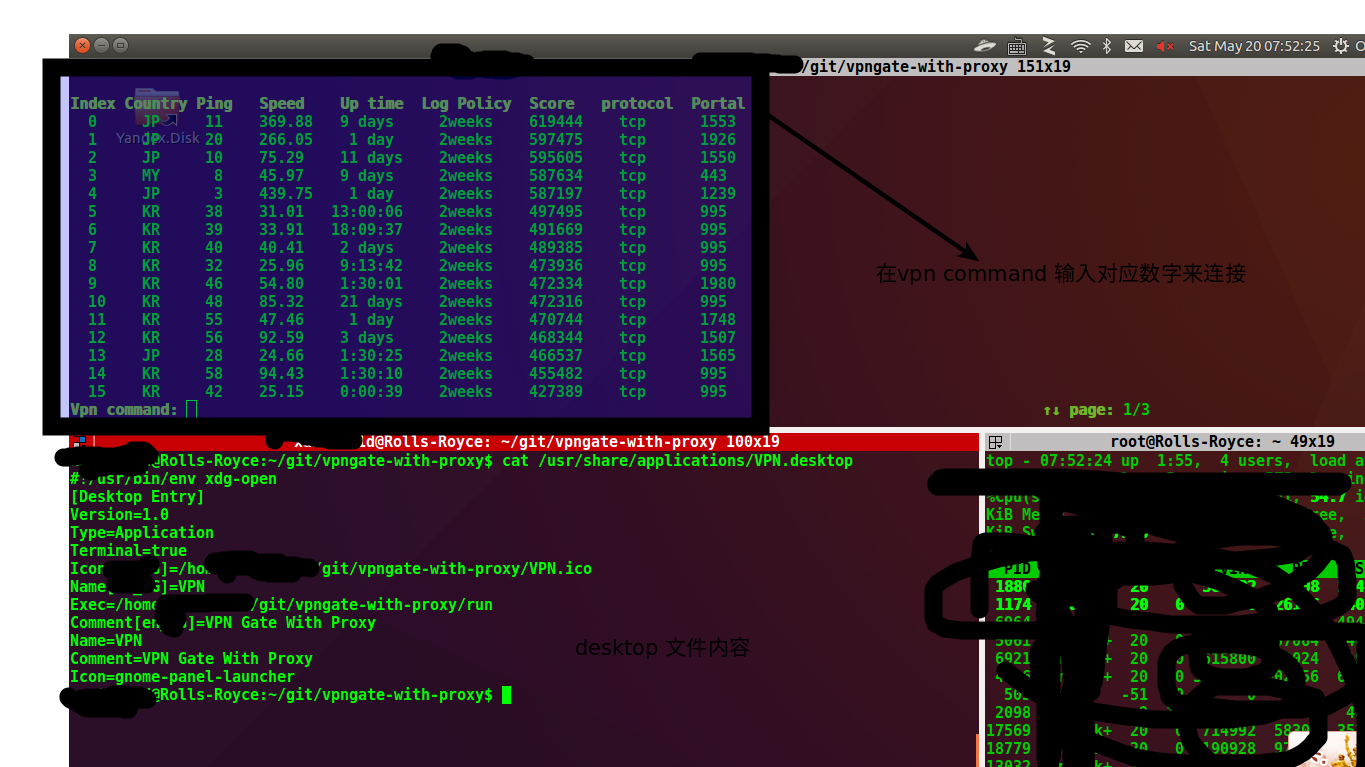
git 上有个vpn with proxy,用的就是openvpn 装好后自己建个桌面图标就差不多了。https://github.com/Dragon2fly/vpngate-with-proxy
Reply View the author
avatar
nearchan
deepin
2017-05-23 06:55
#2
https://bbs.deepin.org/post/139705
????????
git 上有个vpn with proxy,用的就是openvpn 装好后自己建个桌面图标就差不多了。https:/ ...

目前是使用命令行启动:
sudo openvpn --config 配置文件
感觉不是很方便吧,Ubuntu在网络图标那边选择比较爽
Reply View the author
avatar
jingle
deepin
2017-05-23 16:52
#3
Reply View the author
avatar
152******80
Advanced Packager
2017-05-23 17:04
#4
sudo apt-get install network-manager-gnome,然后系统管理有一个网络连接,打开后点add,然后鼠标拖动选择最后一项‘导入VPN...’,导入后网络中就有你导入的vpn了,目前我是这么解决的
Reply View the author
avatar
nearchan
deepin
2017-05-23 18:52
#5
https://bbs.deepin.org/post/139705
sudo apt-get install network-manager-gnome,然后系统管理有一个网络连接,打开后点add,然后鼠标拖动选择 ...

帅!!!!我试一试!
Reply View the author
avatar
李逍遥mx
deepin
2017-06-27 06:15
#6
https://bbs.deepin.org/post/139705
sudo apt-get install network-manager-gnome,然后系统管理有一个网络连接,打开后点add,然后鼠标拖动选择 ...

根本就没有用
Reply View the author
avatar
152******80
Advanced Packager
2017-07-05 20:23
#7

前提是你有配置文件
Reply View the author
avatar
李逍遥mx
deepin
2017-07-17 20:37
#8
https://bbs.deepin.org/post/139705
前提是你有配置文件

配置文件是有的
Reply View the author
avatar
yanbowen
deepin
Community Developer
2017-07-17 21:50
#9
用
  1. nmcli connection import type openvpn file
Copy the Code
把vpn导入系统,然后再到控制中心去编辑用户名和密码,控制中心了显示的名称与配置文件的名称一样
Reply View the author
avatar
152******80
Advanced Packager
2017-07-18 20:29
#10

都有配置文件了,全部是图形化操作都不会导么?
Reply View the author
avatar
李逍遥mx
deepin
2017-12-14 18:32
#11
https://bbs.deepin.org/post/139705
都有配置文件了,全部是图形化操作都不会导么?

现在的新版已经可以了,以前导入不了openVPN的文件的。
Reply View the author