谁能编译一下BaiduPCS的.so文件(Python下可以调用的)
Tofloor
poster avatar
星外之神
deepin
2017-05-20 06:54
Author
如题,能不能帮助编译一下,在Python3下正常使用。
BaiduPCS项目地址:
https://github.com/GangZhuo/BaiduPCS
Thank you!

Reply Favorite View the author
All Replies
avatar
isunny
deepin
2017-05-20 08:49
#1
尝试在 Mac 编译,有如下提示:

BaiduPCS gitmaster) make clean
Makefile:49: "Use 'make ver=debug' to build for gdb debug."
rm -f ./bin/*.o ./bin/*.so ./bin/pcs

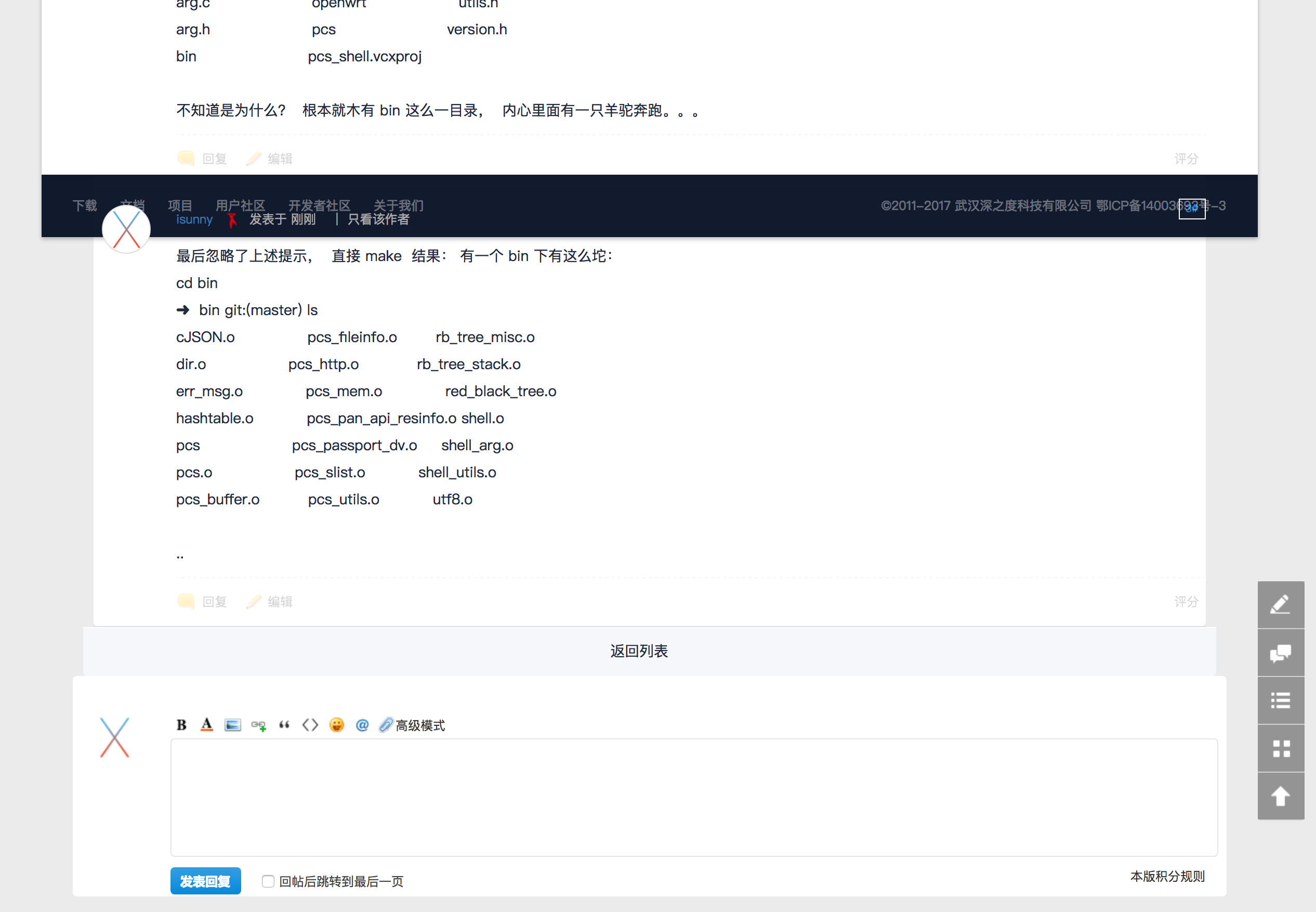
然而   ls :

ls
BaiduPCS.sln              dir.c                     pcs_shell.vcxproj.filters
CHANGES                   dir.h                     rb_tree
LICENSE                   docs                      shell.c
Makefile                  hashtable.c               shell.h
README.md                 hashtable.h               utils.c
arg.c                     openwrt                   utils.h
arg.h                     pcs                       version.h
bin                       pcs_shell.vcxproj

不知道是为什么?  根本就木有 bin 这么一目录,  内心里面有一只羊驼奔跑。。。
Reply View the author
avatar
isunny
deepin
2017-05-20 08:51
#2
最后忽略了上述提示,  直接 make  结果: 有一个 bin 下有这么坨:
cd bin
➜  bin gitmaster) ls
cJSON.o               pcs_fileinfo.o        rb_tree_misc.o
dir.o                 pcs_http.o            rb_tree_stack.o
err_msg.o             pcs_mem.o             red_black_tree.o
hashtable.o           pcs_pan_api_resinfo.o shell.o
pcs                   pcs_passport_dv.o     shell_arg.o
pcs.o                 pcs_slist.o           shell_utils.o
pcs_buffer.o          pcs_utils.o           utf8.o

..
Reply View the author
avatar
isunny
deepin
2017-05-20 08:53
#3


回个帖还让见识了一个神奇 的排版
Reply View the author
avatar
isunny
deepin
2017-05-20 09:43
#4
我忽略了上面提示的提示。。。直接
make install
=========================
make install
Makefile:49: "Use 'make ver=debug' to build for gdb debug."
cp ./bin/pcs /usr/local/bin
cp: /usr/local/bin/pcs: Permission denied
make: *** [install] Error 1
➜  BaiduPCS gitmaster) sudo make install
Password:
Sorry, try again.
Password:
Makefile:49: "Use 'make ver=debug' to build for gdb debug."
cp ./bin/pcs /usr/local/bin
==================================
pcs
Error: Can't read the context file (/Users/fu/.pcs/pcs.context).
pcs v0.2.6 (API v1.1.4)pcs

Usage: pcs command [options] [arg1|arg2...]

Description:
  The pcs is client of baidu net disk. It supplied many functions,
  which can manage baidu net disk on terminal, such as ls, cp, rm,
  mv, rename, download, upload, search and so on.
  The pcs provided AES encryption, which can protected your data.
  The pcs is open source, and published on MIT.
  Please see https://github.com/GangZhuo/baidupcs.

Options:
  --context=  Specify context.

Commands:
  cat      Print the file content
  ***********
  upload   Upload the file
  version  Print the version
  who      Print the current user
Use 'pcs -h' to print command usage.
Sample:
  pcs help
  pcs help cat
  pcs cat -h
  pcs cat /note.txt
  pcs cd /temp
  pcs cat /note.txt --context=/home/gang/.pcs_context
➜  BaiduPCS gitmaster) ✗ pcs login
User Name: dylan44000
Password:
Login Success. UID: dylan44000
➜  BaiduPCS gitmaster) ✗ pcs list
PAGE#1
D Size  Modify Date Time  File Name
------------------------------------------------------------------------------
d    0  2017-04-08 16:27:31  / 000之路
d    0  2017-05-17 11:07:05  /20170517-二建
d    0  2017-01-05 09:05:08  /AI
d    0  2017-01-05 09:13:10  /Android
d    0  2017-04-15 13:11:03  /A2222
d    0  2017-05-04 21:29:10  /ASP.NET程序开发-李立杰
d    0  2017-01-05 09:53:19  /AUTOCAD
d    0  2017-03-22 15:15:56  /AutodeskCAD
d    0  2017-04-28 19:50:11  /5555
d    0  2017-03-04 17:43:47  /books
d    0  2017-04-26 14:19:49  /c#程序设计
d    0  2017-01-05 08:37:04  /C++
d    0  2017-03-31 15:01:24  /C++视频教程
d    0  2017-01-05 09:21:00  /Del
d    0  2017-01-05 08:07:03  /ebooks
d    0  2017-01-05 09:11:51  /FireWork
d    0  2017-01-05 09:11:25  /Flash
d    0  2017-01-05 09:12:10  /Flex
d    0  2017-01-05 09:14:23  /Go
d    0  2017-04-03 15:19:00  /8888888
------------------------------------------------------------------------------
Total: 0.00B, File Count: 0, Directory Count: 20

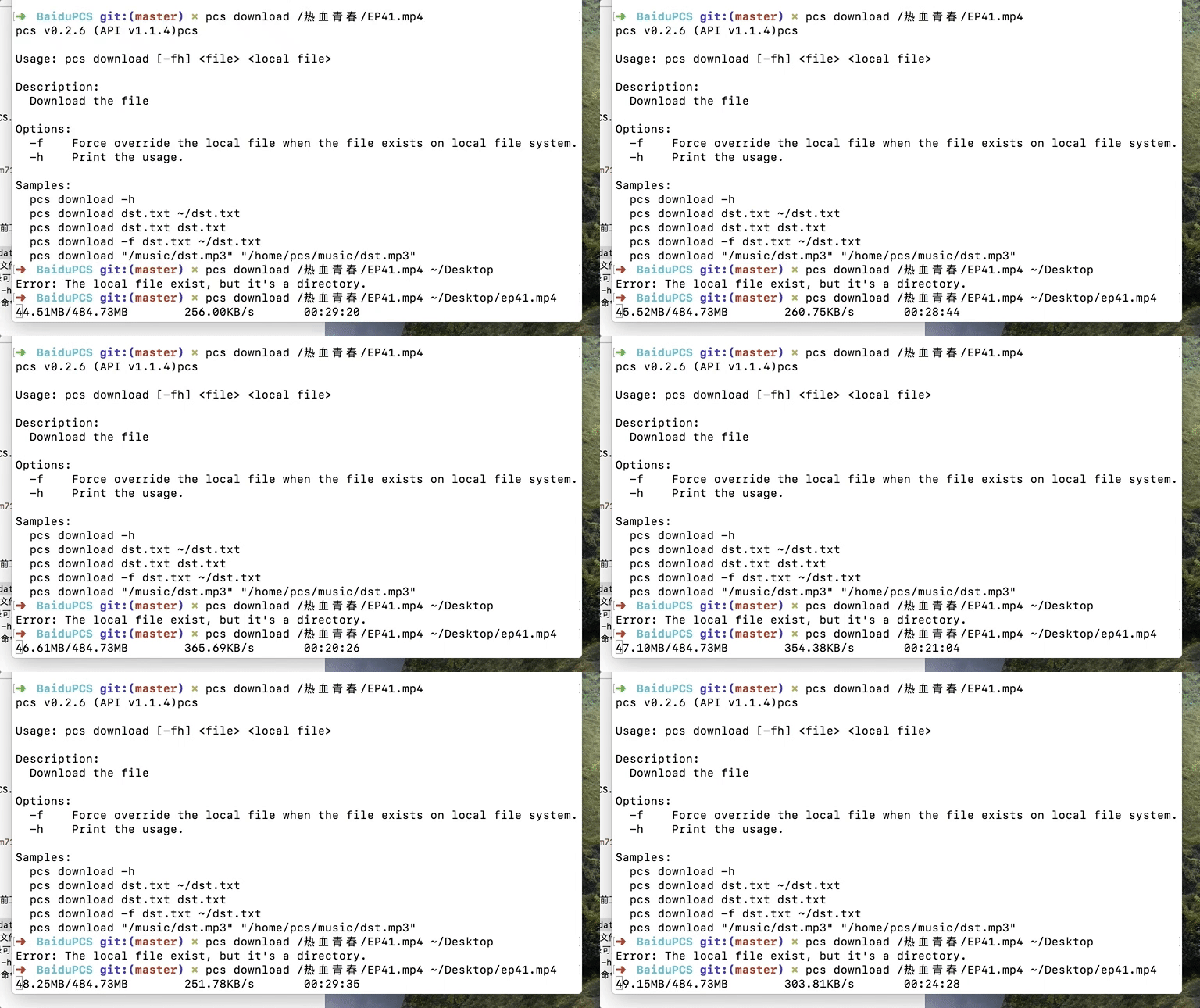
pcs download /热血青春/EP41.mp4
pcs v0.2.6 (API v1.1.4)pcs

Usage: pcs download [-fh]

Description:
  Download the file
最后的实际下载速度说不上快,一般下载速度

Reply View the author
avatar
星外之神
deepin
2017-05-20 09:58
#5
isunny 发表于 2017-5-20 01:43
我忽略了上面提示的提示。。。直接
make install
=========================

二进制文件我有,能不能为Linux编译一下.so文件
Reply View the author
avatar
isunny
deepin
2017-05-20 18:44
#6
我虚拟机里面暂时只有ubuntu,所以就在ubuntu下帮你编译了下,丢百度盘里面了,压缩包里面的bin文件夹就是编译后的文件

你可以解压缩后进入BaiduPCS文件夹后直接 sudo make install   安装。。。

链接: https://pan.baidu.com/s/1mifsJ7U 密码: 7du8
Reply View the author
avatar
星外之神
deepin
2017-05-20 19:21
#7
isunny 发表于 2017-5-20 10:44
我虚拟机里面暂时只有ubuntu,所以就在ubuntu下帮你编译了下,丢百度盘里面了,压缩包里面的bin文件夹就是 ...

我需要在Python下调用(尝试写一个GUI)
Reply View the author
avatar
isunny
deepin
2017-05-20 21:12
#8
https://bbs.deepin.org/post/139703
我需要在Python下调用(尝试写一个GUI)

里面有你要的  so  编译过后我就全部打包了
Reply View the author
avatar
星外之神
deepin
2017-05-20 21:48
#9
isunny 发表于 2017-5-20 13:12
里面有你要的  so  编译过后我就全部打包了

调用不了
Reply View the author
avatar
星外之神
deepin
2017-05-20 22:51
#10
isunny 发表于 2017-5-20 13:12
里面有你要的  so  编译过后我就全部打包了

你的是二进制可执行文件,Python用不了,除非在Python中执行shell命令
我自己编译了一个libpcs.so,无法在Python里调用,这就尴尬了。。。
Reply View the author
avatar
星外之神
deepin
2017-05-21 00:33
#11
isunny 发表于 2017-5-20 13:12
里面有你要的  so  编译过后我就全部打包了

我想起来了,Python不能直接调用C库
Reply View the author
avatar
星外之神
deepin
2017-05-21 00:34
#12
isunny 发表于 2017-5-20 13:12
里面有你要的  so  编译过后我就全部打包了

低级错误。。。。。。。。。。。。。。。。。。。。。。。。。。。。。。。。。。。。。。。。。。。。。。。。。。。。。。。。。。。。。。。。。。。。。。。。。。。。。。。。。。。。。。。。。。。。。。。。。。。。。。。。。。。
Reply View the author