低分辨率显示器重大BUG,要求添加更改屏幕颜色描述文件...
Tofloor
poster avatar
euqhh
deepin
2017-05-05 23:55
Author
我这低分辨率笔记本的屏幕曝光度太高了,屏幕显示又灰又白!实在伤眼!!之前用Win10系统,人家有屏幕显示颜色调整功能!可使用icc颜色配置文件更改屏幕颜色!调试后显示色度勉强过得去!可装了深度却只有亮度调节,这实在难受!!有管理员说在商店里下载Redshift,f.lux但是都是破铜烂铁颜色变的血红色眼睛更难受

最后希望,深度攻城狮们能重视下这些低分辨率笔记本,添加屏幕显示颜色调整功能!!感激不尽!!


Reply Favorite View the author
All Replies
avatar
jingle
deepin
2017-05-06 00:11
#1
你的分辨率多低?
Reply View the author
avatar
jingle
deepin
2017-05-06 00:12
#2
sudo apt-get install dispcalgui
试试看看,附贴http://tieba.baidu.com/p/4356659677
Reply View the author
avatar
euqhh
deepin
2017-05-06 00:47
#3
jingle 发表于 2017-5-5 16:12
sudo apt-get install dispcalgui
试试看看,附贴http://tieba.baidu.com/p/4356659677

这东西有效的话我就不来发帖了
Reply View the author
avatar
jingle
deepin
2017-05-06 00:49
#4
https://bbs.deepin.org/post/138983
这东西有效的话我就不来发帖了

那你的分辨率多少,sudo deepin-feedback-cli命令 上传下日志
Reply View the author
avatar
euqhh
deepin
2017-05-06 00:51
#5
deepin完善一下功能不好吗?这个论坛不就是提建议的吗?而且这个问题不是我一个人提了,很多笔记本都是这种低分屏
Reply View the author
avatar
euqhh
deepin
2017-05-06 01:00
#6
https://bbs.deepin.org/post/138983
那你的分辨率多少,sudo deepin-feedback-cli命令 上传下日志

1366x768分辨率
Reply View the author
avatar
jingle
deepin
2017-05-06 01:15
#7

我的本子就是这个分辨率,也没有这么差  https://bbs.deepin.org/user/33250
Reply View the author
avatar
j***e@163.com
deepin
2017-05-06 16:45
#8
同1366x768帮顶, 桌面图标间距过大 + 最低亮度还是太亮
Reply View the author
avatar
蒙笛
deepin
2017-05-06 16:55
#9
本帖最后由 yuzh496 于 2017-5-6 09:09 编辑

要求,要求

可怜的深度工程师们。

现在好像还没有设备颜色的设置,建议还是回Gnome或者Kde版本吧。

或者在deepin里上Gnome?

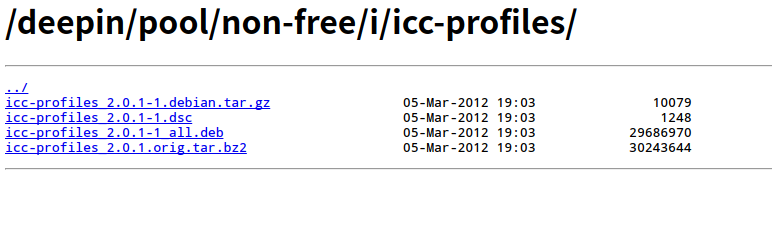
看到曾经有这包?有开发过?
Reply View the author
avatar
lsl
deepin
2017-07-04 05:55
#10
迫切需要颜色校准,笔记本泛白受不了了,而且颜色偏差很大,看着很伤眼睛
Reply View the author
avatar
la******ng@outlook.com
deepin
2017-07-04 09:15
#11
支援 icc-profile 真的是很迫切地需要,特别是对那些工作上需要校色的人
Reply View the author
avatar
herdde
deepin
2017-07-04 14:39
#12
https://bbs.deepin.org/post/138983
同1366x768帮顶, 桌面图标间距过大 + 最低亮度还是太亮

+1                 
Reply View the author
avatar
lcw0268
deepin
2017-07-04 14:50
#13
支持8楼意见。
不反对马甲。
但为了搅场用马甲,就是人品问题了。
1366x768不是问题。
Reply View the author