

 中文

jingle deepin
2017-04-18 15:02 deepin 非常不错
Reply Like 0 View the author
 deepin
 deepin
 deepin
 deepin
https://bbs.deepin.org/post/137763
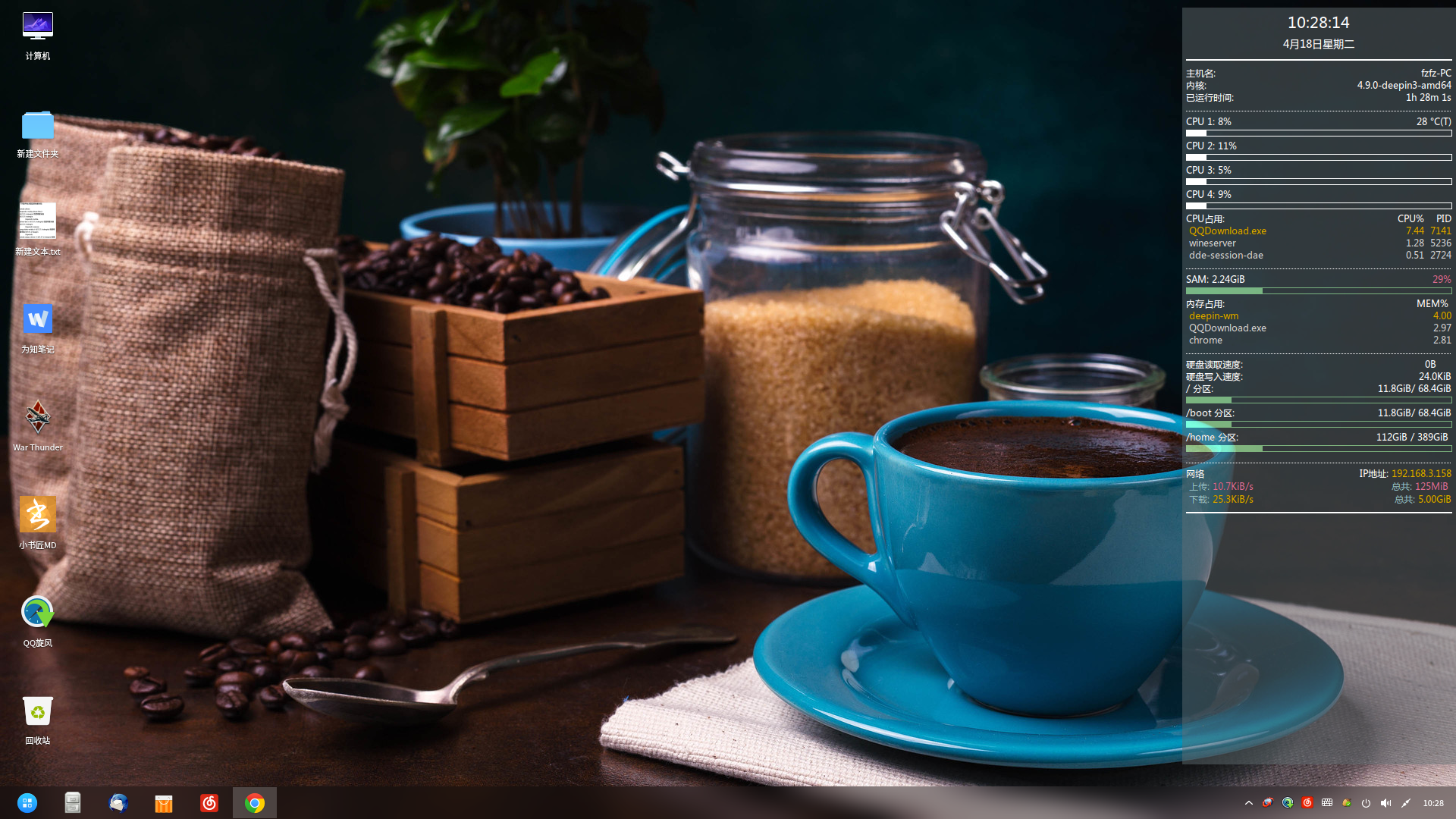
我就想问问这段代码放在哪里可以在桌面上出现如图的效果?
 deepin
https://bbs.deepin.org/post/137763
我就想问问这段代码放在哪里可以在桌面上出现如图的效果?
deepin https://bbs.deepin.org/post/137763
conky的模板文件路径默认为: ~./.conky/
你只需要把楼主发的代码拷入文本文档保存,再把这文件放入.conky ...
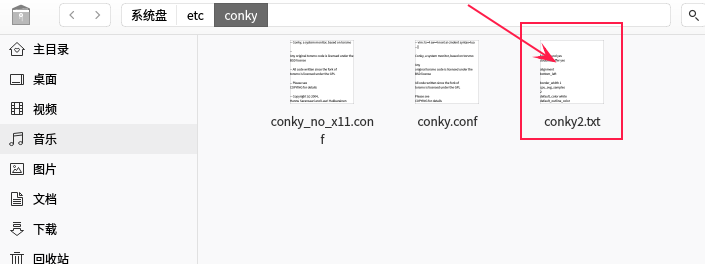
 deepin deepin deepin deepin
https://bbs.deepin.org/post/137763
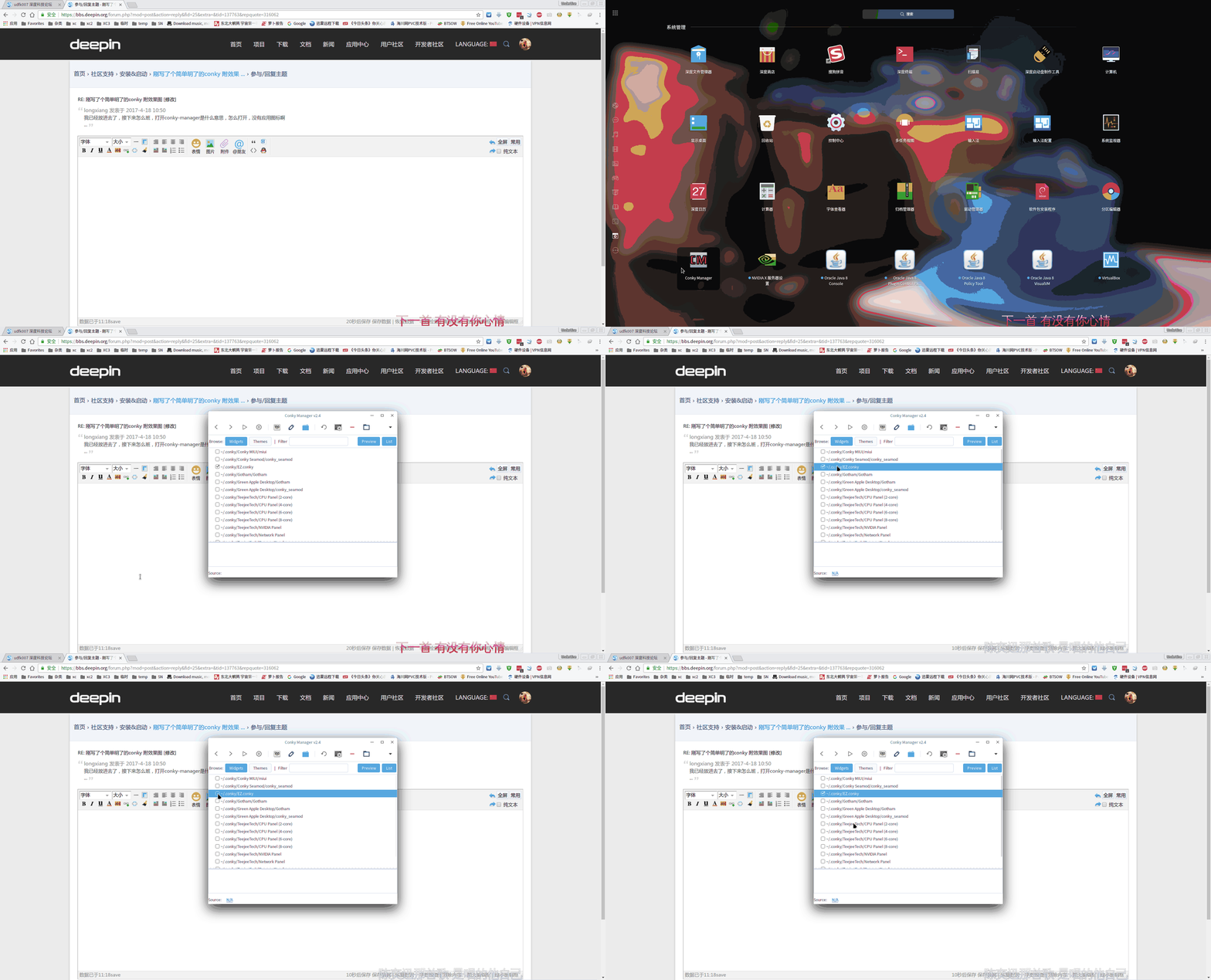
我已经放进去了,接下来怎么班,打开conky-manager是什么意思,怎么打开,没有应用图标啊
...
deepin  deepin deepin
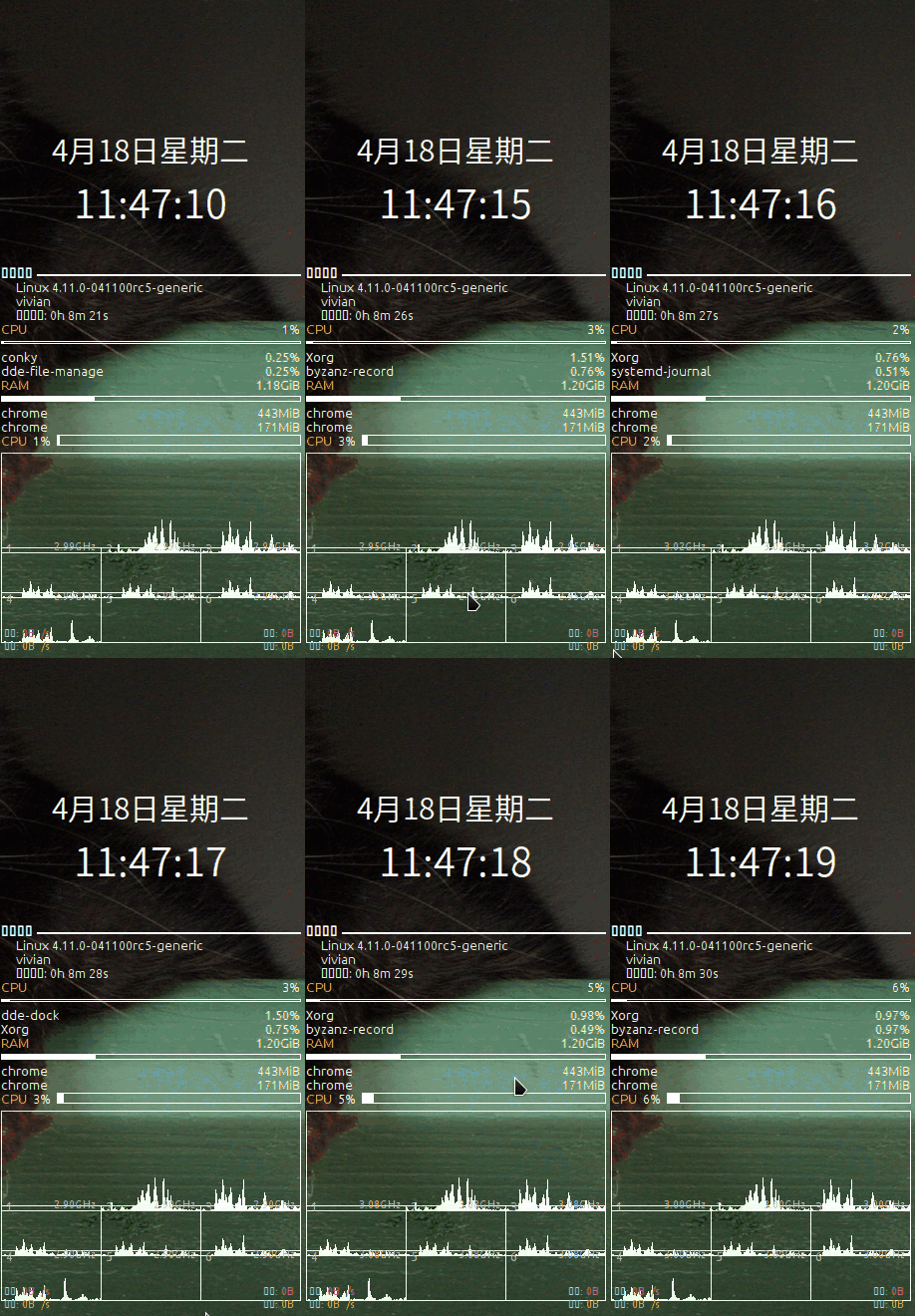

 deepin deepin
https://bbs.deepin.org/post/137763
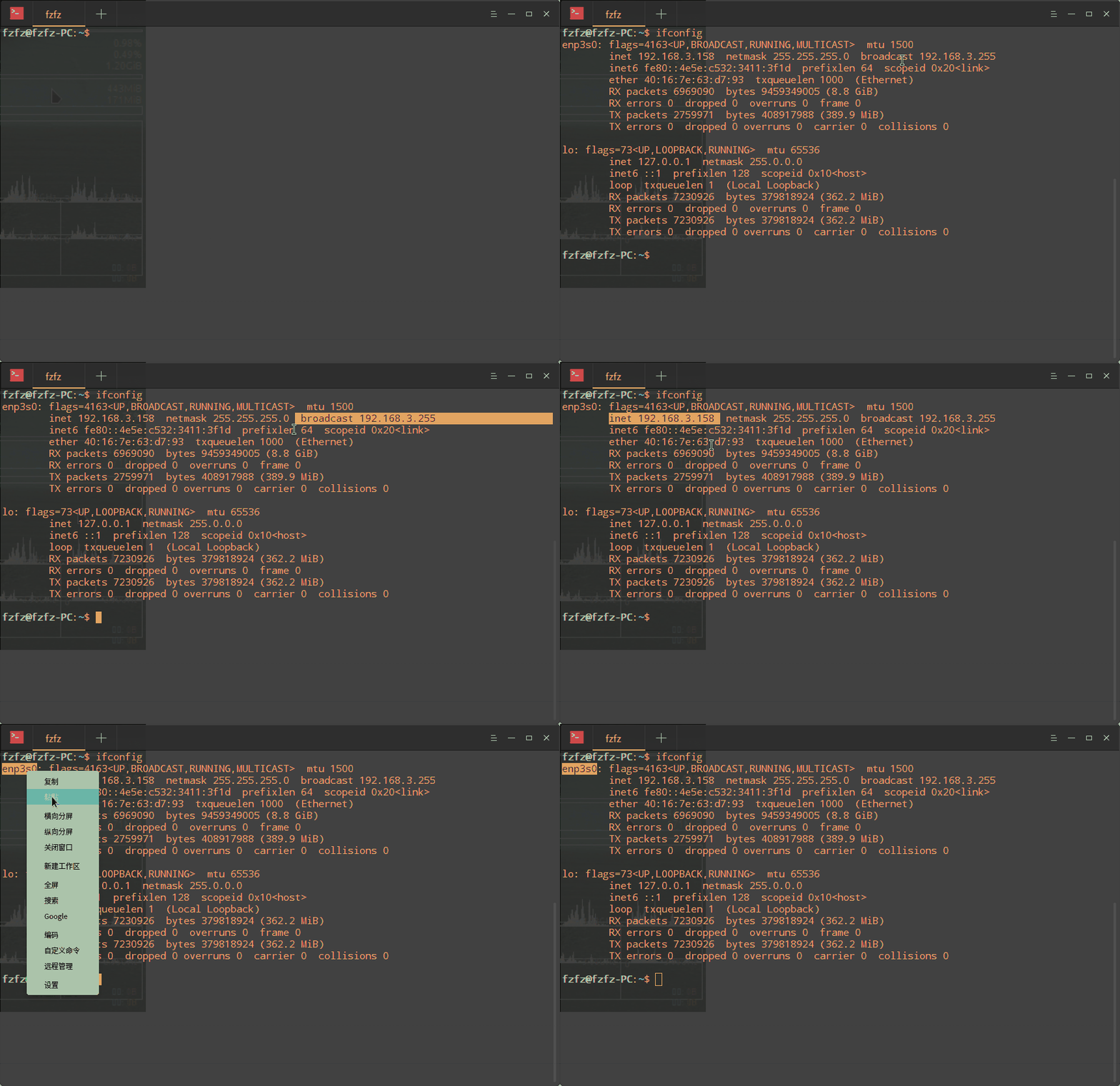
网络接口怎么查看?求教
deepin deepin https://bbs.deepin.org/post/137763
中文貌似不显示,网速已改为wlan0,但还是无网速。。。还有些错版,求解决方法
deepin deepin https://bbs.deepin.org/post/137763
中文问题是因为你没有微软雅黑的字体。
解决方案:1.安装微软雅黑字体。
2.更换成其它 ...
Popular Events
More



 Four agent skills for laptop power, sleep, and honest bug reports
background yes
double_buffer yes
alignment bottom_left
border_width 1
cpu_avg_samples 2
default_color white
default_outline_color white
default_shade_color white
draw_borders no
draw_graph_borders yes
draw_outline no
draw_shades no
gap_x 1500
gap_y 80
net_avg_samples 2
no_buffers yes
out_to_console no
out_to_stderr no
extra_newline no
own_window yes
own_window_type normal
own_window_transparent yes
own_window_colour 000000
own_window_argb_visual yes
own_window_argb_value 0
own_window_hints undecorated,below,sticky,skip_taskbar,skip_pager
minimum_size 300 230
stippled_borders 0
update_interval 1.0
uppercase no
use_spacer none
show_graph_scale no
show_graph_range no
use_xft yes
xftalpha 0.1
xftfont Droid Sans:size=12
color0 white
color1 EAEAEA
color2 FFA300
color3 grey
TEXT
##日期
${font Microsoft YaHei:pixelsize=30}${alignc}${time %b%d日星期%a}${alignc}
##时间
${font Microsoft YaHei:pixelsize=40}${alignc}${time %H:%M:%S}
##系统信息
${font Ubuntu:size=10,weight:bold}${color4}系统信息 ${hr 2}
${offset 15}${font Ubuntu:size=10,weight:normal}${color1}$sysname $kernel
${offset 15}${font Ubuntu:size=10,weight:normal}${color1}$nodename
${offset 15}${font Ubuntu:size=10,weight:normal}${color1}开机时间: $uptime
##cpu使用率前2
${color2}CPU ${color0}${alignr}${cpu cpu0}%
${cpubar cpu0 2,}
${top name 1} $alignr ${top cpu 1}%
${top name 2} $alignr ${top cpu 2}%
##内存使用率前2
${color2}RAM ${color0}${alignr}${mem}
${membar 5,}
${top_mem name 1} $alignr ${top_mem mem_res 1}
${top_mem name 2} $alignr ${top_mem mem_res 2}
##cpu整体使用率
${color2}CPU ${color0} ${cpu cpu0}% ${color3}${cpubar cpu0 10,}
##个核心使用率
${cpugraph cpu0 100,300}${voffset -19}
${cpugraph cpu1 50,100}${cpugraph cpu2 50,100}${cpugraph cpu3 50,100}${voffset -19}
${cpugraph cpu4 50,100}${cpugraph cpu5 50,100}${cpugraph cpu6 50,100}
${font Ubuntu:size=10}${voffset -110}${color3}${goto 10}1 ${goto 110}2 ${goto 210}3 ${goto 0} ${voffset 50} ${goto 10}4 ${goto 110}5 ${goto 210}6
${font Ubuntu:size=8}${voffset -67}${color3}${goto 58}${freq_g (1)}GHz ${goto 158}${freq_g (2)}GHz ${goto 258}${freq_g (3)}GHz ${goto 0}${voffset 50}${goto 58}${freq_g (4)}GHz ${goto 158}${freq_g (5)}GHz ${goto 258}${freq_g (6)}GHz
##网络信息----重要 enp2s0 这个位置可以自己查看自己的网络接口后修改,否则显示流量为0
${voffset 1}${color #98c2c7} 上传: ${color #db7093}${upspeed enp2s0}/s ${alignr}${color #98c2c7}总共: ${color #db7093}${totalup enp2s0}
${voffset 1}${color #98c2c7} 下载: ${color #ddaa00}${downspeed enp2s0}/s ${alignr}${color #98c2c7}总共: ${color #ddaa00}${totaldown enp2s0}
${color #ffa200}${hr 2}