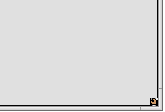
这个很普通看不到特别的地方。。。[tr=transparent]Replicants are small self-contained parts of applications that can be integrated into other programs. Provided Deskbar's option to [size=1em]Show replicants[tr=transparent] is activated, you'll recognize a replicantable part of an application by its small handle, normally in the bottom right corner:[size=0.9em]
[tr=transparent]The most prominent place that accepts Replicants is the Desktop: You simply drag & drop the little handle onto it. From now on it's part of the Desktop and the Replicant's originating app doesn't have to be started for it to work.
[tr=transparent]A right-click on a Replicant handle offers a context menu to show the originating app's About[tr] window and to Remove replicant[tr].
[tr=transparent]Should you experience difficulties with a Replicant on the Desktop and just can't get rid of it, delete [size=0.9em][tr]~/config/settings/Tracker/tracker_shelf[tr=transparent]. Unfortunately, this will remove all[tr=transparent] Replicants from the Desktop.


 中文

 deepin
 deepin
 deepin


 Four agent skills for laptop power, sleep, and honest bug reports