.sh文件的具体安装步骤?
Tofloor
poster avatar
moonlinght
deepin
2017-04-14 04:30
Author
刚刚学习liunx这个系统确实比win要深呀,常用的很好的软件thebrain 提供liunx版的,下来之后是 .sh的文件,不知道如何运行这个文件,用记事本打开不好说,sudo 要密码输入了显示无效命令!由于对这个系统不了解,懵了,请高人详细指点一下!
Reply Favorite View the author
All Replies
avatar
moonlinght
deepin
2017-04-14 05:01
#1
太感谢了,我按照您的步骤做了,但没有看到运行?
Reply View the author
avatar
moonlinght
deepin
2017-04-14 05:03
#2
终端运行是否可见?
Reply View the author
avatar
yushu
deepin
2017-04-14 08:08
#3
sudo ./文件名.sh或sudo bash 文件名.sh
Reply View the author
avatar
comzhong
deepin
2017-04-14 08:56
#4
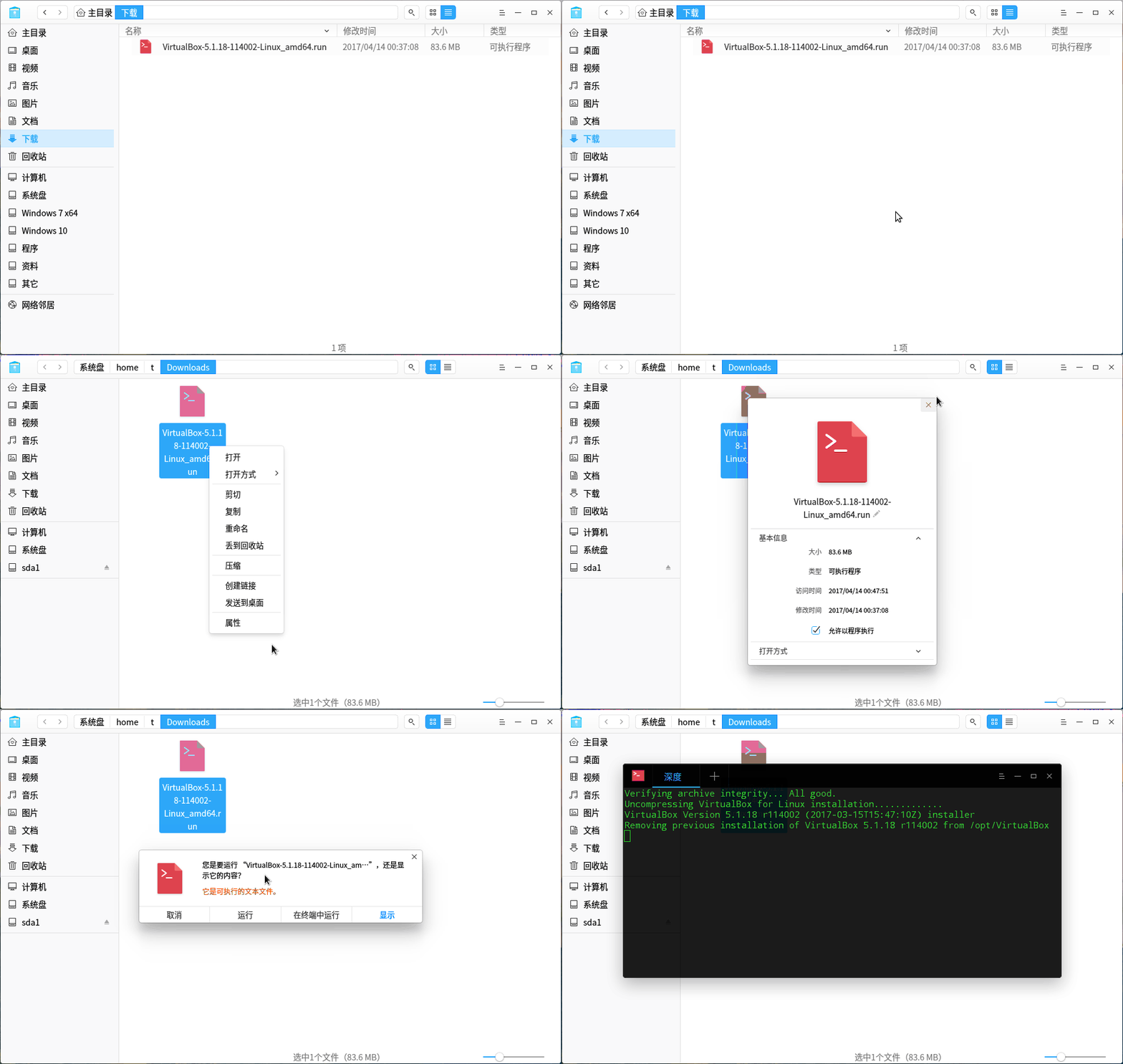
这是不用终端命令


Reply View the author
avatar
182******97
deepin
2017-04-14 09:09
#5
https://bbs.deepin.org/post/137576
这是不用终端命令

这图片怎么做的?PS?
Reply View the author
avatar
comzhong
deepin
2017-04-14 09:11
#6
https://bbs.deepin.org/post/137576
这图片怎么做的?PS?

深度录屏,可以直接按快捷键:Ctrl+Alt+R 启动
Reply View the author
avatar
46******51@qq.com
deepin
2017-04-14 19:40
#7
sudo sh xxx.sh
或者
sudo ./xx.sh
Reply View the author
avatar
ghou
deepin
2017-04-14 20:17
#8
也有可能是没有给 sh 脚本加运行权限
  1. chmod +x 文件名.sh
Copy the Code
Reply View the author