新手新问题出现,wifi经常掉线。
Tofloor
poster avatar
zhh_yang2001
deepin
2017-04-05 05:12
Author
本帖最后由 zhh_yang2001 于 2017-4-8 17:38 编辑

解决了无线wifi驱动的问题,解决了无法关机的问题
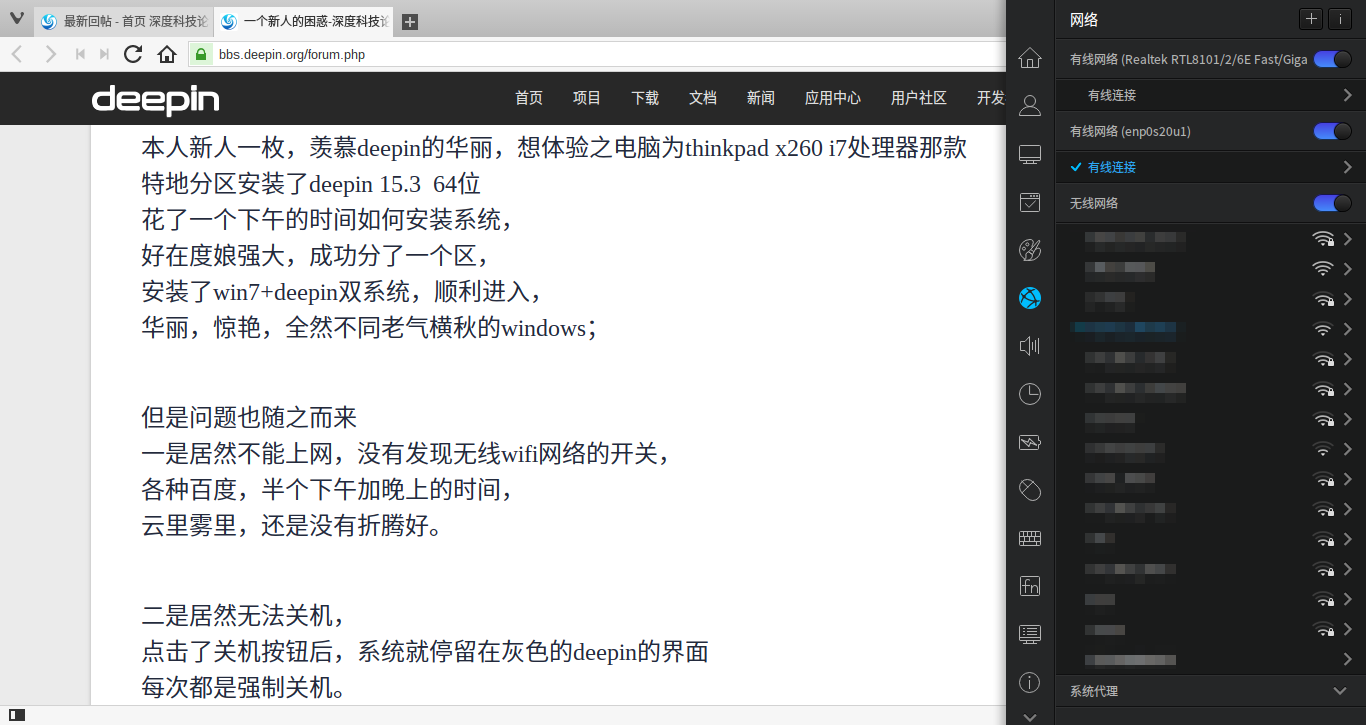
发现了一个新的问题,无线网络连接后,
隔一会儿就掉线。
在不同的wifi间做个切换,又迅速连上,
但很快又会掉线,
每次都需要自己手动连接一次。
何故?求解!


本人新人一枚,羡慕deepin的华丽,想体验之电脑为thinkpad x260 i7处理器那款
特地分区安装了deepin 15.3  64位
花了一个下午的时间如何安装系统,
好在度娘强大,成功分了一个区,
安装了win7+deepin双系统,顺利进入,
华丽,惊艳,全然不同老气横秋的windows;


但是问题也随之而来
一是居然不能上网,没有发现无线wifi网络的开关,
各种百度,半个下午加晚上的时间,
云里雾里,还是没有折腾好。


二是居然无法关机,
点击了关机按钮后,系统就停留在灰色的deepin的界面
每次都是强制关机。

本人小白,在论坛各位大侠的帮助下,多方尝试,已经解决。


1.没有无线wifi
用网线链接电脑,电脑能正常上网,但是wifi就是没有出现链接的按钮。网线联网,输入
sudo apt-get remove bcmwl-kernel-source
重启,重启之后解决。

2.无法关机
点击dock栏的关机按钮,一直停留在灰色的deepin界面,按esc键,出现命令输入栏,但无法输入,每次都只能强行关机。
输入指令
sudo shutdown -P now
解决。

再次感谢热心的各位兄弟姐妹。


Reply Favorite View the author
All Replies
avatar
wuyuexi
deepin
2017-04-05 05:21
#1
要不试试15.4rc,再等等就可以直接升15.4正式版。我用15.3是没有遇到这些问题,你看下是不是驱动的问题。
Reply View the author
avatar
zhh_yang2001
deepin
2017-04-05 05:59
#2
https://bbs.deepin.org/post/137131
要不试试15.4rc,再等等就可以直接升15.4正式版。我用15.3是没有遇到这些问题,你看下是不是驱动的问题。 ...

网上搜了一个教程,下载了对应的驱动,也复制了代码,结果还是没有折腾成。有没有哪位大哥肯手把手教一教。只要能解决上网和关机就ok
Reply View the author
avatar
paopao123
deepin
2017-04-05 06:05
#3
本帖最后由 paopao123 于 2017-4-4 22:07 编辑

不就在这吗
终端输入ifconfig -a,看看打印的信息
Reply View the author
avatar
50******99@qq.com
deepin
2017-04-05 06:08
#4
1、 建议修改一下帖子的字体 ,读着有点不舒服。
2、是没有安装无线的网卡还是什么?
3、最好有图片,这样也便于大家分析、解决。
4、关于关机 你可以暂时  使用终端的  halt 命令  reboot 命令 重启  。
5、建议安装 最新版本  15.4 RC 因为他和 15.3 有些差别 。
Reply View the author
avatar
zhh_yang2001
deepin
2017-04-05 16:33
#5
https://bbs.deepin.org/post/137131
1、 建议修改一下帖子的字体 ,读着有点不舒服。
2、是没有安装无线的网卡还是什么?
3、最好有图片,这样 ...

好的,多谢。现在正在下载中。不能联网不知道怎么安装驱动
Reply View the author
avatar
jingle
deepin
2017-04-05 17:56
#6
https://bbs.deepin.org/post/137131
好的,多谢。现在正在下载中。不能联网不知道怎么安装驱动

没有发现无线wifi网络的开关--------lspci 看下网卡类型

无法关机 是不是 win10 +deepin双系统,关闭快速启动试试,或者 卡的时候按下esc 有什么提示
Reply View the author
avatar
zhh_yang2001
deepin
2017-04-05 18:50
#7
系统是win764+deepin 15.4 64位
无线网络不能连接,没有wifi选项;有线网络可以连接上网

输入lspci
00:00.0 Host bridge: Intel Corporation Sky Lake Host Bridge/DRAM Registers (rev 08)
00:02.0 VGA compatible controller: Intel Corporation Sky Lake Integrated Graphics (rev 07)
00:14.0 USB controller: Intel Corporation Sunrise Point-LP USB 3.0 xHCI Controller (rev 21)
00:14.2 Signal processing controller: Intel Corporation Sunrise Point-LP Thermal subsystem (rev 21)
00:16.0 Communication controller: Intel Corporation Sunrise Point-LP CSME HECI (rev 21)
00:17.0 SATA controller: Intel Corporation Sunrise Point-LP SATA Controller [AHCI mode] (rev 21)
00:1c.0 PCI bridge: Intel Corporation Device 9d10 (rev f1)
00:1c.2 PCI bridge: Intel Corporation Device 9d12 (rev f1)
00:1f.0 ISA bridge: Intel Corporation Sunrise Point-LP LPC Controller (rev 21)
00:1f.2 Memory controller: Intel Corporation Sunrise Point-LP PMC (rev 21)
00:1f.3 Audio device: Intel Corporation Sunrise Point-LP HD Audio (rev 21)
00:1f.4 SMBus: Intel Corporation Sunrise Point-LP SMBus (rev 21)
00:1f.6 Ethernet controller: Intel Corporation Ethernet Connection I219-V (rev 21)
02:00.0 Unassigned class [ff00]: Realtek Semiconductor Co., Ltd. RTS522A PCI Express Card Reader (rev 01)
04:00.0 Network controller: Broadcom Corporation BCM4356 802.11ac Wireless Network Adapter (rev 02)
yang@yang-PC:~/Downloads/backports-4.2.6-1/broadcom-wl-4.150.10.5/driver$


输入sudo iwconfig
lo        no wireless extensions.
enp0s31f6  no wireless extensions.

怎么破解,恳请大师指导!
Reply View the author
avatar
zhh_yang2001
deepin
2017-04-05 18:52
#8
https://bbs.deepin.org/post/137131
不就在这吗
终端输入ifconfig -a,看看打印的信息

谢谢大师,输入后显示!
ifconfig -a
enp0s31f6: flags=4163  mtu 1500
        inet 192.168.0.102  netmask 255.255.255.0  broadcast 192.168.0.255
        inet6 fe80::c3dc:67ea:7f43:bb75  prefixlen 64  scopeid 0x20
        ether 50:7b:9d:cc:2f:84  txqueuelen 1000  (Ethernet)
        RX packets 27831  bytes 30509697 (29.0 MiB)
        RX errors 0  dropped 0  overruns 0  frame 0
        TX packets 24918  bytes 3553220 (3.3 MiB)
        TX errors 0  dropped 0 overruns 0  carrier 0  collisions 0
        device interrupt 16  memory 0xf1600000-f1620000  

lo: flags=73  mtu 65536
        inet 127.0.0.1  netmask 255.0.0.0
        inet6 ::1  prefixlen 128  scopeid 0x10
        loop  txqueuelen 1  (Local Loopback)
        RX packets 192  bytes 17089 (16.6 KiB)
        RX errors 0  dropped 0  overruns 0  frame 0
        TX packets 192  bytes 17089 (16.6 KiB)
        TX errors 0  dropped 0 overruns 0  carrier 0  collisions 0
Reply View the author
avatar
zhh_yang2001
deepin
2017-04-05 18:54
#9
https://bbs.deepin.org/post/137131
1、 建议修改一下帖子的字体 ,读着有点不舒服。
2、是没有安装无线的网卡还是什么?
3、最好有图片,这样 ...

好的,谢谢大师指点。已经安装15.4,还是无法wifi,无法关机。
关机后停留在灰色的deepin界面,按esc出现命令输入界面,
但无法输入任何指令。
Reply View the author
avatar
jingle
deepin
2017-04-05 19:12
#10
https://bbs.deepin.org/post/137131
好的,谢谢大师指点。已经安装15.4,还是无法wifi,无法关机。
关机后停留在灰色的deepin界面,按esc出现 ...

sudo deepin-feedback-cli命令 上传下gz压缩包
Reply View the author
avatar
zhh_yang2001
deepin
2017-04-05 20:14
#11
https://bbs.deepin.org/post/137131
sudo deepin-feedback-cli命令 上传下gz压缩包

好的,我试试看。
Reply View the author
avatar
liujianfeng
deepin
2017-04-05 23:23
#12
sudo apt-get remove bcmwl-kernel-source
Reply View the author
avatar
zhh_yang2001
deepin
2017-04-06 16:41
#13
https://bbs.deepin.org/post/137131
sudo apt-get remove bcmwl-kernel-source

sudo apt-get remove bcmwl-kernel-source
[sudo] yang 的密码:
正在读取软件包列表... 完成
正在分析软件包的依赖关系树      
正在读取状态信息... 完成      
下列软件包将被【卸载】:
  bcmwl-kernel-source
升级了 0 个软件包,新安装了 0 个软件包,要卸载 1 个软件包,有 3 个软件包未被升级。
解压缩后将会空出 8,017 kB 的空间。
您希望继续执行吗? [Y/n] y
(正在读取数据库 ... 系统当前共安装有 127438 个文件和目录。)
正在卸载 bcmwl-kernel-source (6.30.223.248+bdcom-0ubuntu11+deepin) ...
Removing all DKMS Modules
Done.
update-initramfs: deferring update (trigger activated)
正在处理用于 initramfs-tools (0.125) 的触发器 ...
update-initramfs: Generating /boot/initrd.img-4.9.0-deepin2-amd64
W: Possible missing firmware /lib/firmware/i915/kbl_guc_ver9_14.bin for module i915
W: Possible missing firmware /lib/firmware/i915/bxt_guc_ver8_7.bin for module i915
W: mdadm: /etc/mdadm/mdadm.conf defines no arrays.
yang@yang-PC:/media/yang/程序类/deepin虚拟系统/联网驱动/iwlwifi-8000-ucode-16.2424i-8000-ucode-16.242414.0$
Reply View the author
avatar
zhh_yang2001
deepin
2017-04-06 16:42
#14
还是没有找到无线链接;我重新启动试试看。
Reply View the author
avatar
mesbai
deepin
2017-04-06 19:22
#15
https://bbs.deepin.org/post/136779#  这个方法试试。
Reply View the author
avatar
mesbai
deepin
2017-04-06 19:23
#16
无法关机我也碰到过。。后来莫名其妙的又好了。。
Reply View the author
avatar
zhh_yang2001
deepin
2017-04-07 02:37
#17
https://bbs.deepin.org/post/137131
sudo apt-get remove bcmwl-kernel-source
[sudo] yang 的密码:
正在读取软件包列表... 完成

大哥,你太厉害了。重启之后,有了无线链接。万分感谢。
Reply View the author
avatar
zhh_yang2001
deepin
2017-04-07 03:37
#18
https://bbs.deepin.org/post/137131
大哥,你太厉害了。重启之后,有了无线链接。万分感谢。

电脑点击关机后,一直停留在灰色的deepin状态,有办法么?谢谢了
Reply View the author
avatar
zhh_yang2001
deepin
2017-04-07 16:45
#19
https://bbs.deepin.org/post/137131
电脑点击关机后,一直停留在灰色的deepin状态,有办法么?谢谢了

已经解决,多谢。
Reply View the author