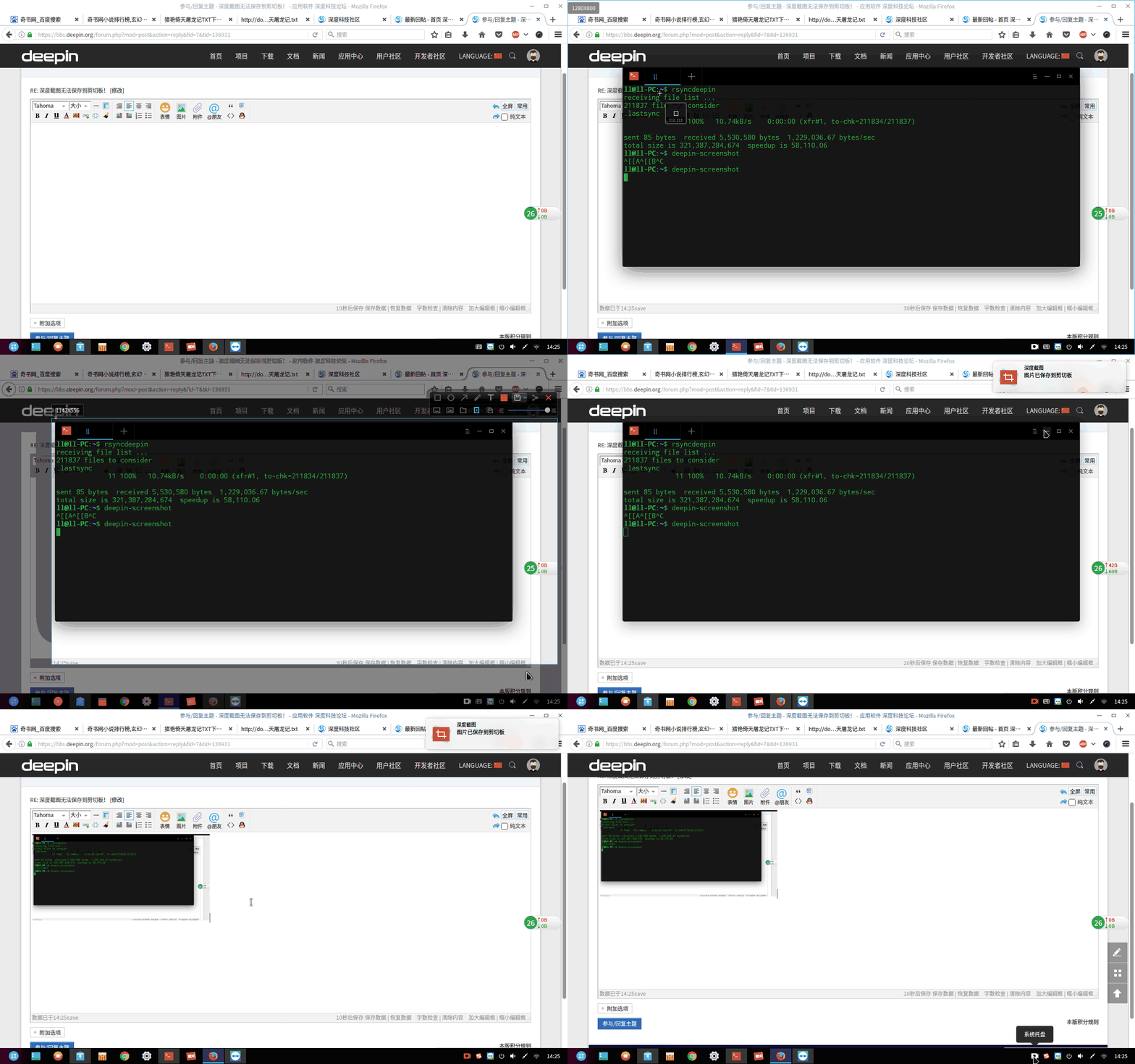
深度截图无法保存到剪切板!
Tofloor
poster avatar
masterboom
deepin
2017-03-31 21:55
Author
本帖最后由 masterboom 于 2017-3-31 14:40 编辑

我的环境是kubuntu  16.10 桌面是KDE
我通过添加源的方式 安装了deepin-screenshot
打开没问题 截图没问题 保存本地没问题
但是保存到剪切板 好像是无法保存的 试过在wiznote 粘贴,但是不行没图像
所以 请官方给一个解决方案 谢谢!~
Reply Favorite View the author
All Replies
avatar
wangyong
deepin
2017-03-31 21:58
#1
点击工具条右边的箭头可以修改默认保存方式
Reply View the author
avatar
masterboom
deepin
2017-03-31 22:01
#2
https://bbs.deepin.org/post/136931
点击工具条右边的箭头可以修改默认保存方式

我选择的就是复制到剪切板~
Reply View the author
avatar
masterboom
deepin
2017-03-31 22:13
#3
  1. yog@PC:~$ deepin-screenshot
  2. /usr/share/deepin-screenshot/src/gtk-clip:32: GtkWarning: 无法在模块路径中找到主题引擎:“adwaita”,
  3.   clipboard.set_image(pixbuf)
Copy the Code

补充一下 报错信息
Reply View the author
avatar
pangpangpang
deepin
2017-03-31 22:24
#4
麻烦你多贴下信息,估计是因为无法正常调用gtk的剪贴板,检查下是否安装了python-gtk的包,另外,建议安装深度的桌面环境。
Reply View the author
avatar
153******45
deepin
2017-03-31 22:26
#5


Reply View the author
avatar
masterboom
deepin
2017-03-31 22:29
#6
刚才的adwaita 解决了 现在我sudo 运行看看报错 一下是报错信息 依然是无法粘贴 剪切板的图像

  1. young@Young-PC:~$ sudo deepin-screenshot   
  2. Traceback (most recent call last):
  3.   File "/usr/share/deepin-screenshot/src/app_window.py", line 194, in save_screenshot
  4.     self.context.saveScreenshot(pixmap)
  5.   File "/usr/share/deepin-screenshot/src/app_context.py", line 179, in saveScreenshot
  6.     self.copyPixmap(pixmap)
  7.   File "/usr/share/deepin-screenshot/src/app_context.py", line 134, in copyPixmap
  8.     _("Picture has been saved to clipboard"))
  9.   File "/usr/share/deepin-screenshot/src/app_context.py", line 79, in _notify
  10.     *args, **kwargs)
  11.   File "/usr/share/deepin-screenshot/src/dbus_interfaces.py", line 68, in notify
  12.     return reply.value()
  13. ValueError: QDBusReply value is invalid
  14. 已放弃 (核心已转储)
Copy the Code


Reply View the author
avatar
masterboom
deepin
2017-03-31 22:30
#7
https://bbs.deepin.org/post/136931
麻烦你多贴下信息,估计是因为无法正常调用gtk的剪贴板,检查下是否安装了python-gtk的包,另外,建议安装 ...

又加了一些报错信息 您看看~
Reply View the author
avatar
masterboom
deepin
2017-03-31 22:32
#8

谢谢您的演示,我的确是选择好了 复制到剪切板  但是粘贴没图像~
Reply View the author
avatar
153******45
deepin
2017-03-31 22:34
#9
https://bbs.deepin.org/post/136931
谢谢您的演示,我的确是选择好了 复制到剪切板  但是粘贴没图像~

估计你的依赖没装全
Reply View the author
avatar
pangpangpang
deepin
2017-03-31 22:35
#10
我看了下,估计是因为最近改了通知的接口,你的源代码是从github上获取的吗?
用命令看下截图的版本号: python src/main.py --version
Reply View the author
avatar
masterboom
deepin
2017-03-31 22:36
#11
https://bbs.deepin.org/post/136931
我看了下,估计是因为最近改了通知的接口,你的源代码是从github上获取的吗?
用命令看下截图的版本号: p ...

Deepin Screenshot 3.1.0
Reply View the author
avatar
masterboom
deepin
2017-03-31 22:46
#12
https://bbs.deepin.org/post/136931
估计你的依赖没装全

依赖应该是全的~
Reply View the author
avatar
pangpangpang
deepin
2017-03-31 22:51
#13
看了下,你用的版本比较旧了,我们目前更新到了:3.1.9
https://github.com/linuxdeepin/deepin-screenshot
这里有最近的源代码,建议用这个,然后通过:python src/main.py -n
这个可以去掉对dbus通知的依赖,看下能不能解决。
Reply View the author
avatar
masterboom
deepin
2017-03-31 23:03
#14
本帖最后由 masterboom 于 2017-3-31 15:07 编辑
https://bbs.deepin.org/post/136931
看了下,你用的版本比较旧了,我们目前更新到了:3.1.9
https://github.com/linuxdeepin/deepin-screensho ...

好的我去试试 谢谢~我看了 一下 release是 3.1.10
但是直接glone 是3.1.0 你们改一下把~
Reply View the author
avatar
pangpangpang
deepin
2017-03-31 23:08
#15
(⊙o⊙)哦,好像是的,我说的是版本的标记tag号,不好意思。
Reply View the author
avatar
masterboom
deepin
2017-03-31 23:20
#16
https://bbs.deepin.org/post/136931
(⊙o⊙)哦,好像是的,我说的是版本的标记tag号,不好意思。

额.. 依然无法 粘贴出来
Reply View the author
avatar
pangpangpang
deepin
2017-03-31 23:23
#17
那就不好意思了,我后面有时间在ubuntu上看下,
但是貌似你的环境好像有的复杂kubuntu + kde...
Reply View the author
avatar
masterboom
deepin
2017-03-31 23:27
#18
https://bbs.deepin.org/post/136931
那就不好意思了,我后面有时间在ubuntu上看下,
但是貌似你的环境好像有的复杂kubuntu + kde...  ...

恩 不复杂的 我给您看看版本信息 就是ubuntu16.10 的衍生版本 kubuntu
谢谢您的帮助 希望能帮我解决一下这个问题~
Reply View the author
avatar
tek_eternal
deepin
2017-05-20 17:14
#19
我用kUbuntu 16.04也是一样的问题,请问现在解决了么。
Reply View the author