Home
Categories
WIKI
Topic
User
LANGUAGE:
中文
English
让你的浏览器字体颜值爆表
Theme area
2680
views ·
4
replies ·
To
floor
Go
lyz1834
deepin
2017-03-17 19:50
Author
本帖最后由 lyz1834 于 2017-3-17 12:01 编辑
首先感谢深度团队,windows,osx,ubuntu,archlinux我都用过,在deepin上思源黑体的显示效果我个人觉得是最棒的,但chrome浏览器的默认字体却不尽人意,通过我一下午的怕文终于解决。
先看看对比,
替换字体之前:
替换字体之后:
我做成了chrome扩展
,直接安装即可。
原理是在custom.css中自定义
font-family实现字体的替换。
https://bbs.deepin.org/post/36819#page%3D1
Reply
Like 0
Favorite
View the author
All Replies
白菜
deepin
2017-03-18 06:47
#1
除了加粗外,看不出什么区别。。。
好吧,我承认我又近视了
Reply
Like 0
View the author
159******54
deepin
2017-03-18 07:04
#2
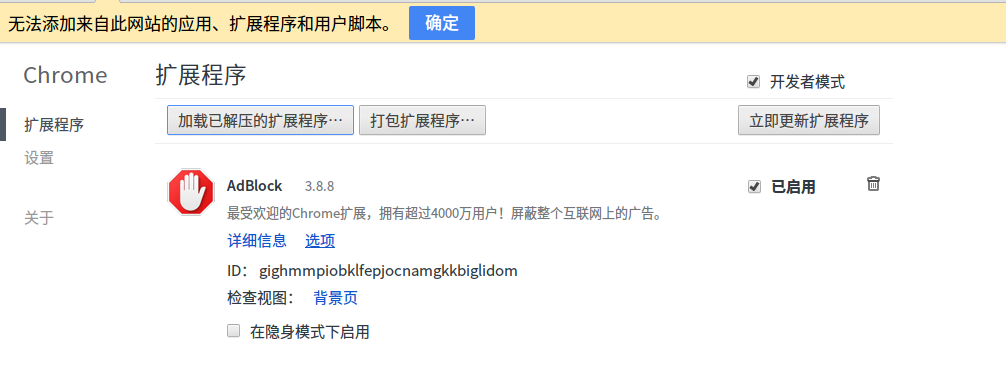
我为什么装不上那个插件
Reply
Like 0
View the author
Comments
xiamu
2018-03-03 00:52
点击更多工具 - 扩展程序 在把这个插件拉进去就ok 了!
joyk3000
deepin
2017-03-18 08:54
#3
试试看怎么样
Reply
Like 0
View the author
widon1104
deepin
2018-03-03 00:37
#4
可以试试ZFull gb字体
Reply
Like 0
View the author
Please
sign
in first
Featured Collection
Change
Nuntia - Modern IMAP/SMTP mail client for Deepin (Beta tester wanted!)
[Tutorial] deepin25 WSL Offline Installation Guide
UOS AI 2.8 Released! Three New Intelligent Agents & Major Evolution
Solid Q&A | deepin 25 Common Questions – The Immutable System Edition
New Thread
Popular Ranking
Change
Four agent skills for laptop power, sleep, and honest bug reports
Installing qemu-user breaks deepin
Adding a Dancing Spectrum Bar to the Deepin Taskbar | deepin-spectrum
Popular Events
More


 中文

 deepin deepin

 deepin

 deepin

 deepin
 deepin


 Four agent skills for laptop power, sleep, and honest bug reports
首先感谢深度团队,windows,osx,ubuntu,archlinux我都用过,在deepin上思源黑体的显示效果我个人觉得是最棒的,但chrome浏览器的默认字体却不尽人意,通过我一下午的怕文终于解决。
先看看对比,
替换字体之前:
替换字体之后:
我做成了chrome扩展
,直接安装即可。
原理是在custom.css中自定义font-family实现字体的替换。
https://bbs.deepin.org/post/36819#page%3D1