东芝e-studio357网络打印机安装失败
Tofloor
poster avatar
xiaogang782
deepin
2017-03-07 21:40
Author
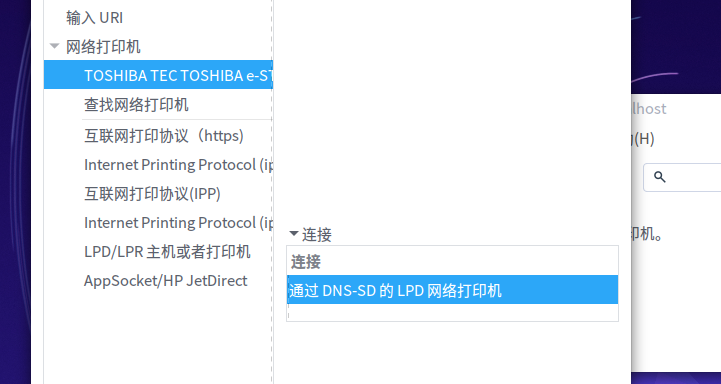
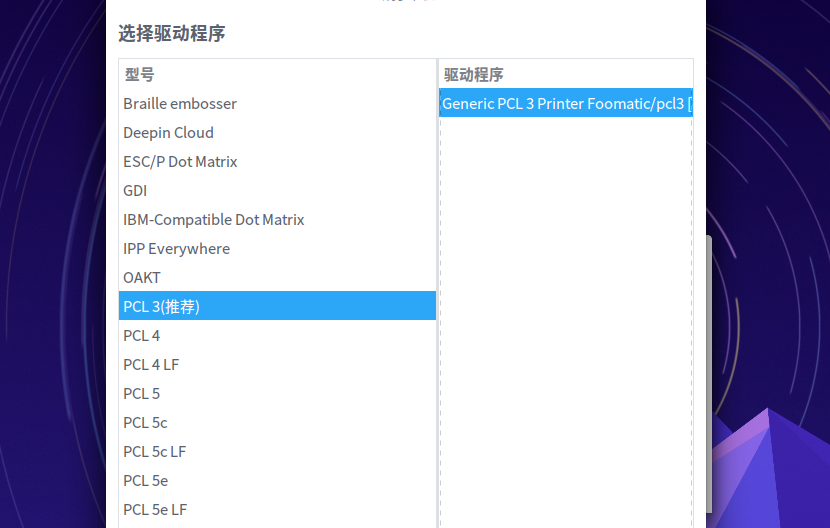
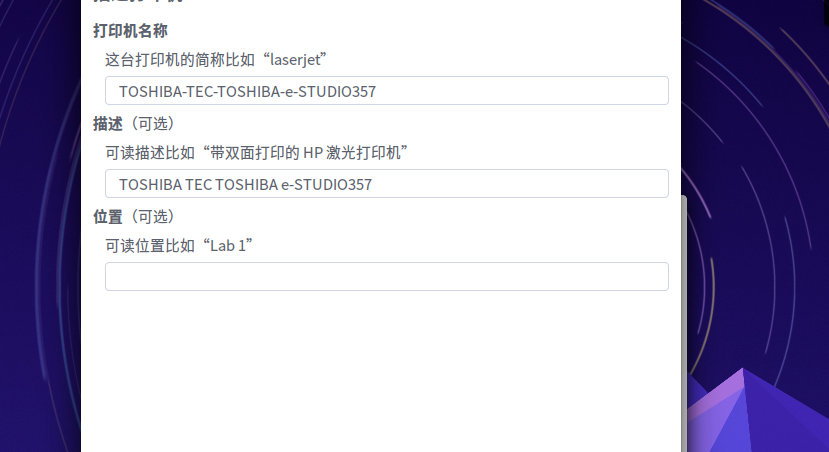
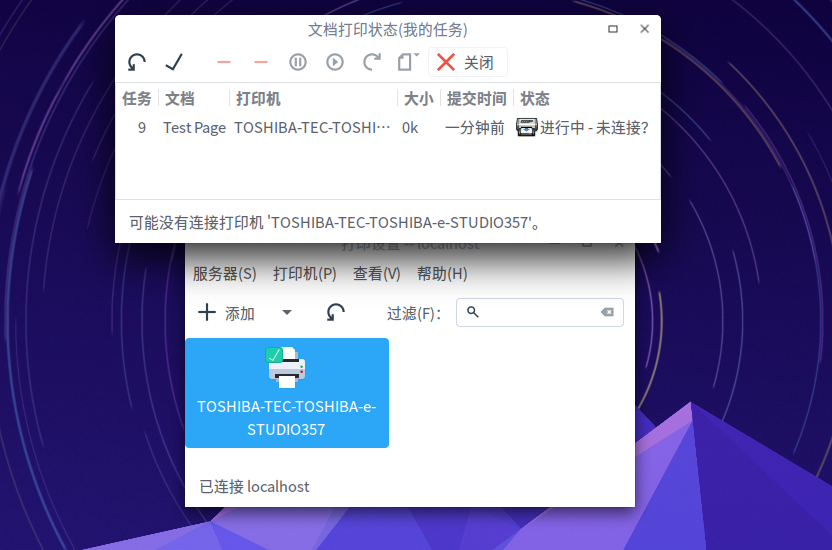
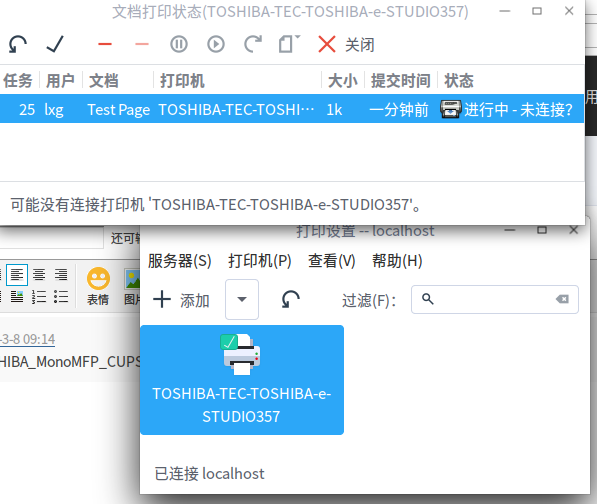
安装网络打印机东芝e-studio357,在网络打印机中能找到但是添加时没有357的驱动,只有推荐的驱动,点下一步再下一步再下一步。添加完成后,打印测试,发现不能打印,显示未连接。请大神帮助一下。
Reply Favorite View the author
All Replies
avatar
xiaogang782
deepin
2017-03-07 21:45
#1
哪位大神路过,给指导一下,在线等
Reply View the author
avatar
南浦月
deepin
2017-03-08 00:04
#2
楼主打印机是单面的还是能打双面的?
Reply View the author
avatar
南浦月
deepin
2017-03-08 00:10
#3
TOSHIBA_MonoMFP_CUPS_1.tar
TOSHIBA_MonoMFP_CUPS_2.tar
下载上面的两个附件中的一个,据说1是单面,2是双面
  1. cd /
  2. sudo tar xvf /path_to_file/TOSHIBA_MonoMFP_CUPS_1.tar
Copy the Code
Reply View the author
avatar
南浦月
deepin
2017-03-08 00:16
#4
参考:http://business.toshiba.com/usa/support/downloads.jsp?SELCTD_MODEL=e-STUDIO357&AXN=SELCTD&site=usa
上面两个压缩包里面的文件只有usr/share/cups/model/Toshiba/TOSHIBA_MonoMFP_CUPS.gz里面的TOSHIBA_MonoMFP_CUPS是不同的,第2056行。

  1. *DefaultDuplex: None
Copy the Code
与
  1. *DefaultDuplex: DuplexNoTumble
Copy the Code
的区别
Reply View the author
avatar
xiaogang782
deepin
2017-03-08 00:16
#5
https://bbs.deepin.org/post/135721
楼主打印机是单面的还是能打双面的?

可以打印双面的,是复印打印,都可以的
Reply View the author
avatar
南浦月
deepin
2017-03-08 00:19
#6
https://bbs.deepin.org/post/135721
可以打印双面的,是复印打印,都可以的

那下载第二个附件吧
Reply View the author
avatar
xiaogang782
deepin
2017-03-08 16:32
#7
https://bbs.deepin.org/post/135721
下载上面的两个附件中的一个,据说1是单面,2是双面

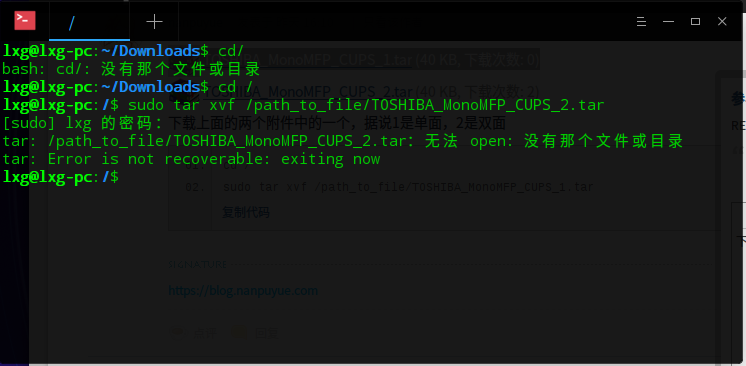
下载后,在终端中运行代码出现这样,怎么处理?
Reply View the author
avatar
南浦月
deepin
2017-03-08 17:14
#8
把 /path_to_file/TOSHIBA_MonoMFP_CUPS_1.tar 换成你自己文件的路径
Reply View the author
avatar
xiaogang782
deepin
2017-03-08 18:23
#9
本帖最后由 xiaogang782 于 2017-3-8 10:35 编辑
https://bbs.deepin.org/post/135721
把 /path_to_file/TOSHIBA_MonoMFP_CUPS_1.tar 换成你自己文件的路径

用了这个新驱动,依然是未链接?
Reply View the author
avatar
南浦月
deepin
2017-03-09 03:15
#10
https://bbs.deepin.org/post/135721
用了这个新驱动,依然是未链接?

在打印设置里面把打印机删除,重新添加。
Reply View the author
avatar
xiaogang782
deepin
2017-03-13 21:25
#11
https://bbs.deepin.org/post/135721
在打印设置里面把打印机删除,重新添加。

已经成功,谢谢
Reply View the author