【可能有用】刚弄好的deepin+win10双系统(uefi)
Tofloor
poster avatar
leozrb
deepin
2017-01-20 23:49
Author
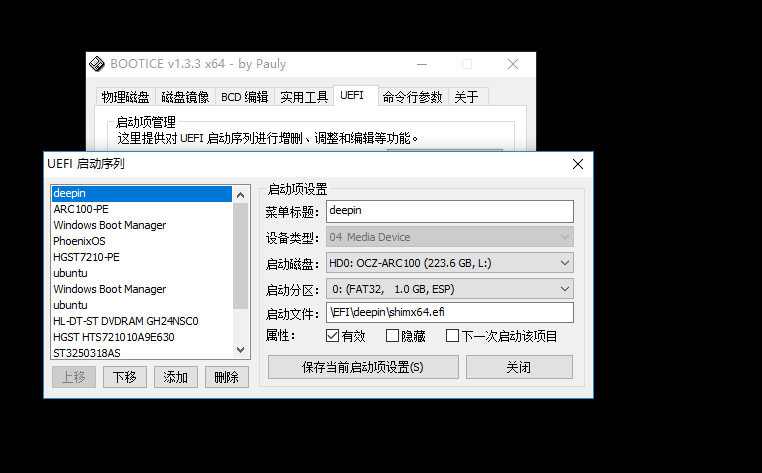
其实deepin是有把他的引导挂在到esp分区的,只不过没有设置成默认引导,搞得我还装了个rEFInd,开机双引导。。设置成默认引导的办法:使用管理员身份打开命令提示符,输入命令bcdedit /set {bootmgr} path \EFI\deepin\grubx64.efi。后面的x64要看你的电脑。你的电脑是x86-64的就输x64,其他的按照自己电脑。
Reply Favorite View the author
All Replies
avatar
leozrb
deepin
2017-01-20 23:50
#1
自己顶贴
Reply View the author
avatar
leozrb
deepin
2017-01-20 23:57
#2
我的设置的默认引导是rEFInd,且指向的是deepin的引导,所以开机双引导,很不爽。所以只能设置默认第一项为deepin,不然得选择两遍。。。
Reply View the author
avatar
翻过山峰看见云
deepin
2017-01-21 01:19
#3
过来看看,虽然我没遇到过这个问题
Reply View the author
avatar
182******97
deepin
2017-01-21 21:02
#4
这个软件我得说多少次才有人会注意呢?
Reply View the author
avatar
182******97
deepin
2017-01-21 21:07
#5
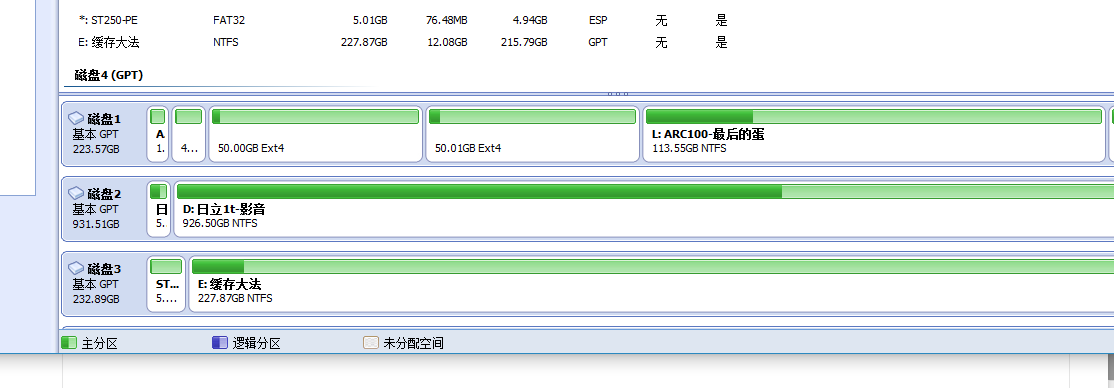
至于分区,不难理解吧?efi分区实质为fat32,也就是说,win的引导文件在fat32分区主板就会自动寻找,至于linux,主板一般不会自动查找。
Reply View the author
avatar
166******72
deepin
2017-03-07 00:47
#6
https://bbs.deepin.org/post/134352
这个软件我得说多少次才有人会注意呢?

不会弄有屁用。。
Reply View the author
avatar
cyx980622
deepin
2017-03-07 04:46
#7
EasyUEFI很好用啊...BCD的话还有个玩意叫EasyBCD.....
Reply View the author
avatar
dxqwx1
deepin
2017-03-07 22:45
#8
本帖最后由 dxqwx1 于 2017-3-7 14:46 编辑
https://bbs.deepin.org/post/134352
这个软件我得说多少次才有人会注意呢?

这个用了只当次有效 重启后还是直接进win10
Reply View the author
Comments
leozrb
2017-03-13 04:04
正解
avatar
silenter
deepin
2017-08-12 08:19
#9
非常感谢!
Reply View the author