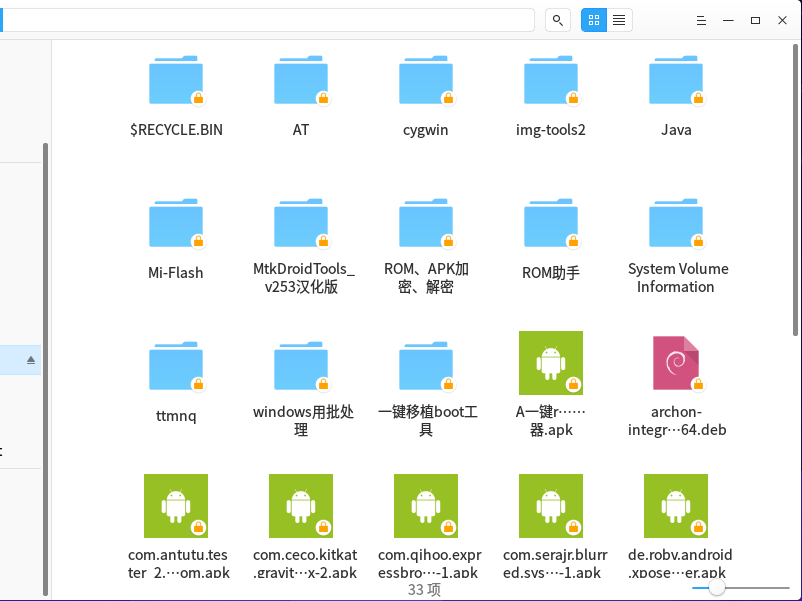
NTFS分区为何挂载为只读?
Tofloor
poster avatar
星外之神
deepin
2017-01-01 05:50
Author
本地磁盘NTFS默认挂载只读

Reply Favorite View the author
All Replies
avatar
LMDM387
deepin
2017-01-01 08:37
#1
估计是以前搞过什么权限设置吧
大不了用su改一下权限
Reply View the author
avatar
johnmy
deepin
2017-01-01 11:44
#2
如果是双系统,重启一下windows正常关闭试试。有可能是windows休眠引起的。
Reply View the author
avatar
星外之神
deepin
2017-01-01 15:31
#3
LMDM387 发表于 2017-1-1 00:37
估计是以前搞过什么权限设置吧
大不了用su改一下权限

还有,有没有双击挂载镜像的软件?
Reply View the author
avatar
redapple0204
deepin
2017-01-01 22:07
#4
我就想要只读...上次就误删了
Reply View the author
avatar
星外之神
deepin
2017-01-02 01:31
#5
LMDM387 发表于 2017-1-1 00:37
估计是以前搞过什么权限设置吧
大不了用su改一下权限

失败了。。。
Reply View the author
avatar
星外之神
deepin
2017-01-02 01:35
#6
1437659759 发表于 2017-1-1 00:16
防止你误删除啊

移动硬盘又没事
Reply View the author
avatar
星外之神
deepin
2017-01-02 01:35
#7
1437659759 发表于 2017-1-1 00:16
防止你误删除啊

只有本地硬盘才这样
Reply View the author
avatar
tsugumi
deepin
2017-01-02 03:23
#8
与“windows10快速启动”的选项有关,打开状态下为“只读”。
Reply View the author
avatar
星外之神
deepin
2017-01-02 04:17
#9
tsugumi 发表于 2017-1-1 19:23
与“windows10快速启动”的选项有关,打开状态下为“只读”。

是吗??
Reply View the author
avatar
wangyong
deepin
2017-01-02 09:50
#10

你让windows正常关机, 而不是快速随眠和启动, 再次打开deepin应该就好了。
Reply View the author
avatar
星外之神
deepin
2017-01-02 16:27
#11
wangyong 发表于 2017-1-2 01:50
你让windows正常关机, 而不是快速随眠和启动, 再次打开deepin应该就好了。 ...

这不是Windows系统盘,应该不会是快速启动导致的吧
Reply View the author
avatar
fwq668
deepin
2017-01-03 04:20
#12
加一个权限就可以了,如dir_mode=0777,file_mode=0777
Reply View the author
avatar
LMDM387
deepin
2017-01-03 16:36
#13
https://bbs.deepin.org/post/133611
还有,有没有双击挂载镜像的软件?

没有,有mount为何要双击挂载镜像的软件
Reply View the author
avatar
让我康康
deepin
2017-01-03 18:17
#14
我倒是希望windows系统盘能默认为只读,之前就曾误删过系统文件导致不能开机
Reply View the author
avatar
星外之神
deepin
2017-01-08 01:07
#15
LMDM387 发表于 2017-1-3 08:36
没有,有mount为何要双击挂载镜像的软件

有,找到了
Reply View the author
avatar
星外之神
deepin
2017-01-08 16:24
#16
johnmy 发表于 2017-1-1 03:44
如果是双系统,重启一下windows正常关闭试试。有可能是windows休眠引起的。

好了。。。。。
Reply View the author
avatar
zbw666
deepin
2017-03-04 05:42
#17

怎么解决的啊?
Reply View the author
avatar
aqua
deepin
2017-03-04 07:34
#18

Win10快速启动的問題 , 完全关闭win10再进入deepin
Reply View the author
avatar
何来
deepin
2017-03-04 07:40
#19
取得777权限
Reply View the author