

 中文


FZFZ deepin
2016-12-30 07:40 deepin 本帖最后由 udfk007 于 2016-12-29 23:55 编辑
That's good one. thank you!===============================
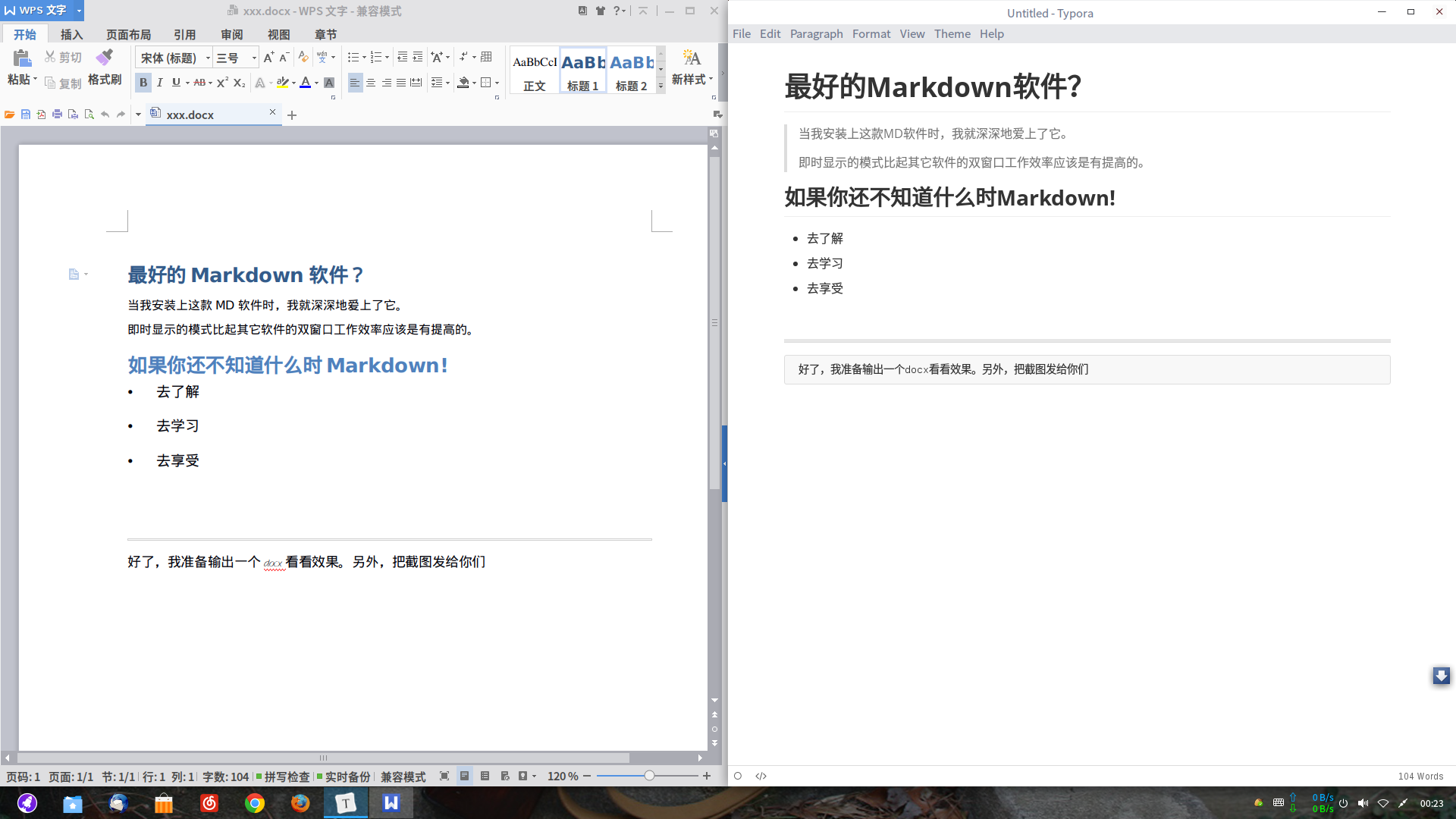
真的是很棒的md编辑软件,功能很全面,安装pandoc后可以输出为docx等非常实用的格式。
比起目前商店中的md软件只能输出pdf,md等格式。Typora无疑是真正的生产力工具。。
===============================
以下是官方的安装方法
由于deepin15不再支持ppa,所以大家需要自己先行安装“software-properties-common”
##sudo apt-get install software-properties-common##
之后运行如下即可安装typora
# optional, but recommended
sudo apt-key adv --keyserver keyserver.ubuntu.com --recv-keys BA300B7755AFCFAE
# add Typora's repository
sudo add-apt-repository 'deb https://typora.io ./linux/'
sudo apt-get update
# install typora
sudo apt-get install typora
===================================
Pandoc下载地址:https://github.com/jgm/pandoc/releases/tag/1.19.1
@jingle 考虑一下加入商店吧。
That's good one. thank you!===============================
真的是很棒的md编辑软件,功能很全面,安装pandoc后可以输出为docx等非常实用的格式。
比起目前商店中的md软件只能输出pdf,md等格式。Typora无疑是真正的生产力工具。。
===============================
以下是官方的安装方法
由于deepin15不再支持ppa,所以大家需要自己先行安装“software-properties-common”
##sudo apt-get install software-properties-common##
之后运行如下即可安装typora
# optional, but recommended
sudo apt-key adv --keyserver keyserver.ubuntu.com --recv-keys BA300B7755AFCFAE
# add Typora's repository
sudo add-apt-repository 'deb https://typora.io ./linux/'
sudo apt-get update
# install typora
sudo apt-get install typora
===================================
Pandoc下载地址:https://github.com/jgm/pandoc/releases/tag/1.19.1
@jingle 考虑一下加入商店吧。
Reply Like 0 View the author






 Adding a Dancing Spectrum Bar to the Deepin Taskbar | deepin-spectrum


It's free and it's really useful for me!