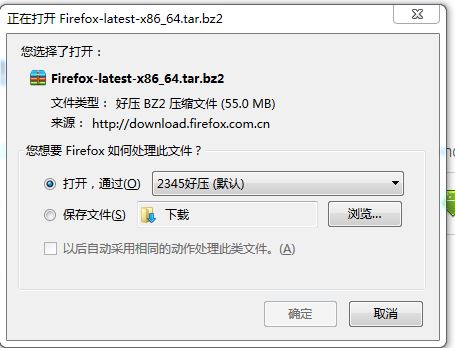
怎么安装火狐浏览器Linux版
Tofloor
poster avatar
abc2577876
deepin
2016-12-15 01:50
Author
我在Windows上一直用火狐浏览器,火狐有同步书签,密码,历史的功能,但在商店安装的火狐貌似是国外的版本,不能用本地服务器登录,只能登录全球服务器,所以我就到中国火狐浏览器官网下了个安装包,不知怎么安装
Reply Favorite View the author
All Replies
avatar
Feng Yu
deepin
2016-12-15 02:00
#1
sudo apt install -y firefox firefox-locale-zh-hans
Reply View the author
avatar
abc2577876
deepin
2016-12-15 02:24
#2
https://bbs.deepin.org/post/133052
sudo apt install -y firefox firefox-locale-zh-hans

666已搞定
Reply View the author
avatar
paul1411
deepin
2016-12-15 16:49
#3
NB,还可以这样安装本地版。
Reply View the author
avatar
joshuayuen
deepin
2016-12-15 19:06
#4
使用命令安装的版本是48.0,官网上下载的是50的版本,
Reply View the author
avatar
bell1847
deepin
2016-12-15 19:18
#5
官网的是免安装版,解压即可使用。命令安装的是仓库的早期版本。
Reply View the author
avatar
翻过山峰看见云
deepin
2016-12-20 18:36
#6
https://bbs.deepin.org/post/133052
sudo apt install -y firefox firefox-locale-zh-hans

可我用命令安装后,在火狐登录页面一直是白屏
Reply View the author
avatar
187******69
deepin
2016-12-20 19:35
#7
https://bbs.deepin.org/post/133052
sudo apt install -y firefox firefox-locale-zh-hans

根本不用安装,ff官方发布的就是二进制文件包,你直接解压缩,然后运行bin里面的firefox文件就行了,最多你也就需要创建一个启动器。
Reply View the author
avatar
FZFZ
deepin
2016-12-20 20:30
#8
要新版的可以复制粘贴替换文件即可。
Reply View the author
avatar
Feng Yu
deepin
2016-12-20 20:51
#9
https://bbs.deepin.org/post/133052
根本不用安装,ff官方发布的就是二进制文件包,你直接解压缩,然后运行bin里面的firefox文件就行了,最多 ...

我的个人喜好是走软件仓库进行包管理。便于维护和自动化,易管理。软件包把很多东西都给你做好了,比如图形程序的.desktop文件,服务的service脚本和logrotate脚本等等,省很多麻烦。
Reply View the author