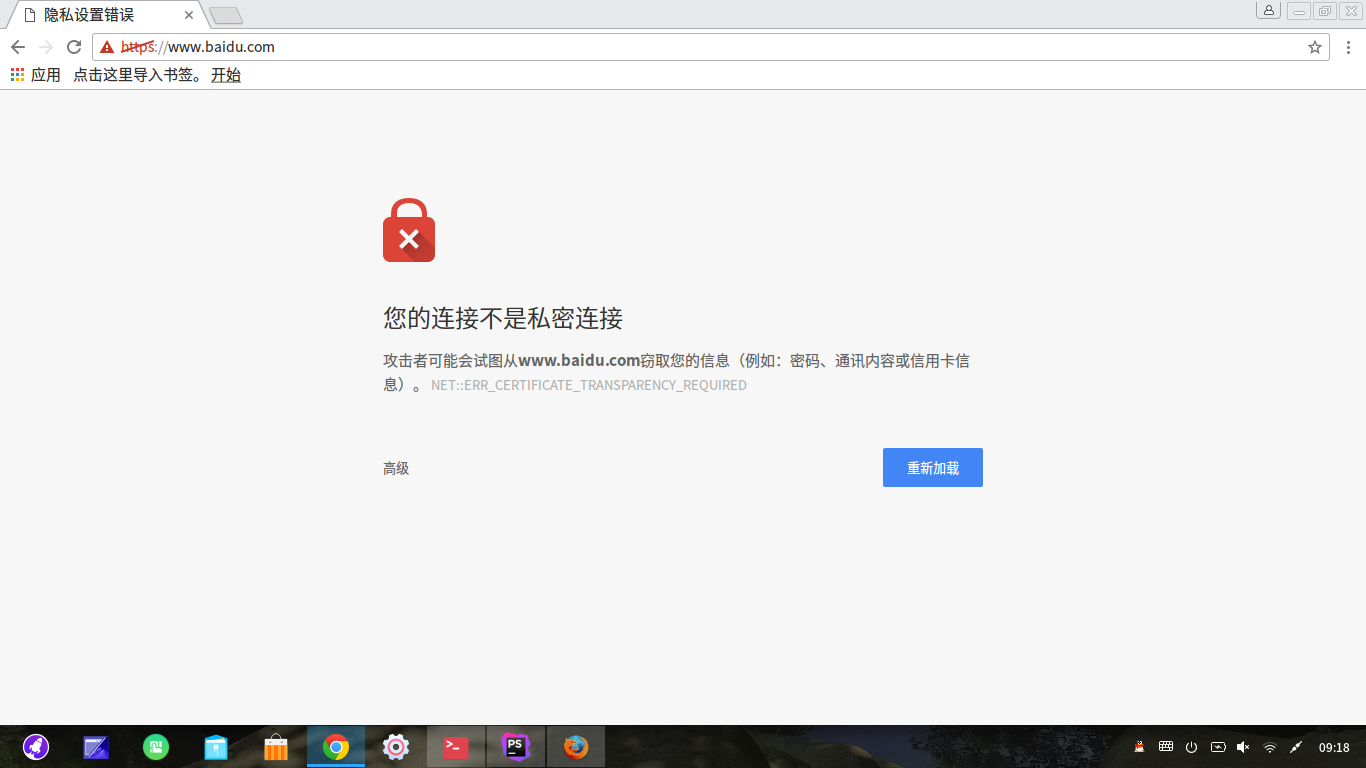
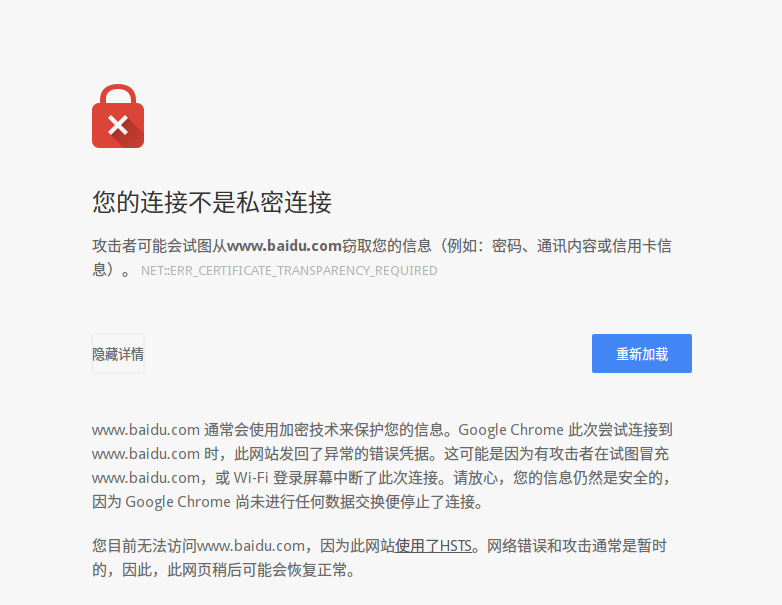
chrom无法打开百度了
Tofloor
poster avatar
male
deepin
2016-11-23 17:19
Author
RT

Reply Favorite View the author
All Replies
avatar
lodan
deepin
2016-11-23 17:42
#1
我也是。
Reply View the author
avatar
kingskill
deepin
2016-11-23 17:54
#2
chromium飘过。。。
Reply View the author
avatar
海天鹰
deepin
2016-11-23 18:08
#3
为什么我可以打开?
Reply View the author
avatar
132******13
deepin
2016-11-23 18:20
#4
点高级,然后选择继续前往就可以了
Reply View the author
avatar
love-shang
deepin
2016-11-23 18:25
#5
https://bbs.deepin.org/post/132352
点高级,然后选择继续前往就可以了


点开高级,没有继续前往

Reply View the author
avatar
fyzz
deepin
2016-11-23 18:28
#6
yutouyes 发表于 2016-11-23 10:20
点高级,然后选择继续前往就可以了

正解.....
Reply View the author
avatar
lodan
deepin
2016-11-23 19:05
#7

根本没有继续。情况不一样。
Reply View the author
avatar
zxg1021212520
deepin
2016-11-24 08:19
#8
我刚刚也遇到了,重置google浏览器就行了
Reply View the author
avatar
ne_angel
deepin
2016-11-24 08:45
#9
本帖最后由 ne_angel 于 2016-11-24 00:47 编辑

版本更新了,找最新版下载即可。新版本更新了安全标准。
Reply View the author
avatar
132******13
deepin
2016-11-24 19:11
#10
https://bbs.deepin.org/post/132352
点开高级,没有继续前往

那不清楚了
Reply View the author
avatar
边城浪子1777
deepin
2016-11-24 20:38
#11
点击选项清除历史记录就可以了
Reply View the author
avatar
lcinshu
deepin
2016-11-24 21:17
#12
https://bbs.deepin.org/post/132352
点高级,然后选择继续前往就可以了

可总不能每回都这样吧
Reply View the author
avatar
132******13
deepin
2016-11-24 22:53
#13
https://bbs.deepin.org/post/132352
可总不能每回都这样吧

我记得这个继续前往点一次就会自动记忆了,不需要每次都点,我只点一次就可以访问了
Reply View the author
avatar
lcinshu
deepin
2016-11-25 17:09
#14
https://bbs.deepin.org/post/132352
我记得这个继续前往点一次就会自动记忆了,不需要每次都点,我只点一次就可以访问了 ...

我的好像不行,每次都得点。我直接去官网下了新的安装包,把原来的卸了,装上就行了,也不提示了
Reply View the author
avatar
8***7@qq.com
deepin
2016-11-25 17:26
#15
设置里有提示安全的选项,把勾取消就可以了
Reply View the author
avatar
153******56
deepin
2016-11-26 17:32
#16
https://bbs.deepin.org/post/132425# 这个帖子有解决办法
Reply View the author
avatar
zhushaolong
deepin
2016-11-27 05:33
#17
更新到54就好了
Reply View the author
avatar
blackmass
deepin
2016-11-27 05:40
#18
对的,今天我的也是,估计是google弄得,貌似到年底不再支持非https协议的网站了,所以我换了火狐浏览器
Reply View the author
avatar
177******38
deepin
2016-11-27 06:08
#19
chrome的地址栏输入:chrome://net-internals/#hsts , 在Delete domain 栏的输入框中输入要http访问的域名,然后点击“delete”按钮,即可完成配置。然后你可以在 Query domain 栏中搜索刚才输入的域名,点击“query”按钮后如果提示“Not found”,就行了,这时候打开百度所有的网页就没问题了,


Reply View the author
avatar
153******56
deepin
2016-11-27 16:49
#20
https://bbs.deepin.org/post/132352
chrome的地址栏输入:chrome://net-internals/#hsts , 在Delete domain 栏的输入框中输入要http访问的域名 ...

谢谢
Reply View the author