

 中文
中文 
xuguoquan123 deepin
10 hours ago deepin 下载后,打不开啊
Reply Like 0 View the author
deepin 下载后,打不开啊
 deepin
 deepin
 下载后,打不开啊
都是要付费的。

 deepin
 下载后,打不开啊
要下载unbuntu22那个,24这个依赖的glibc是39版本
deepin的版本不够

deepin 要下载unbuntu22那个,24这个依赖的glibc是39版本
deepin的版本不够
链接不上,后端也启动不了
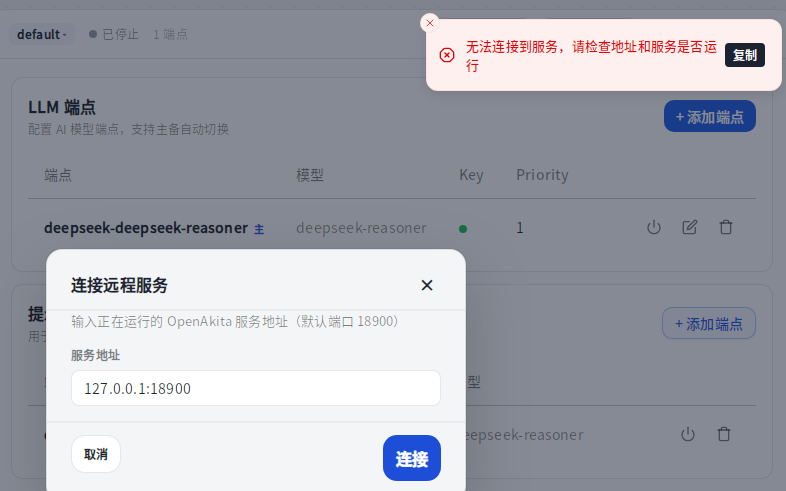
deepin 链接不上,后端也启动不了
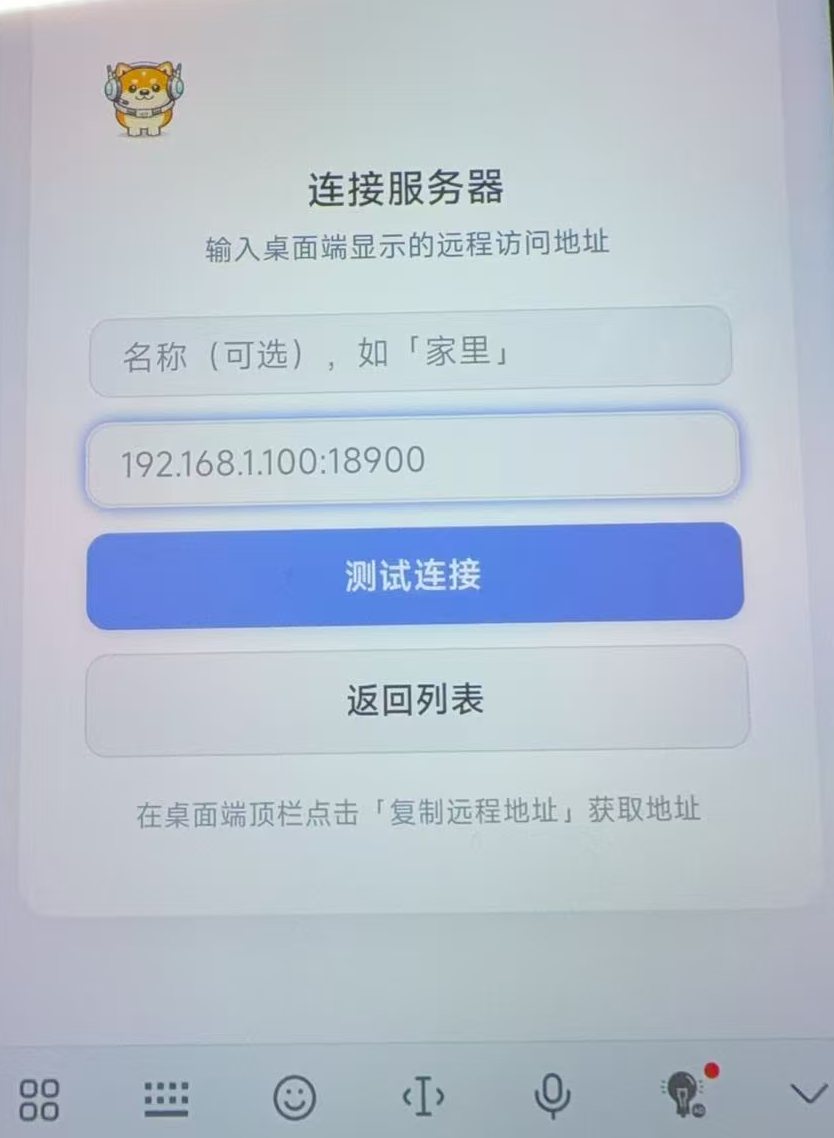
手机安装后连接:
第一个框:随便填个名称
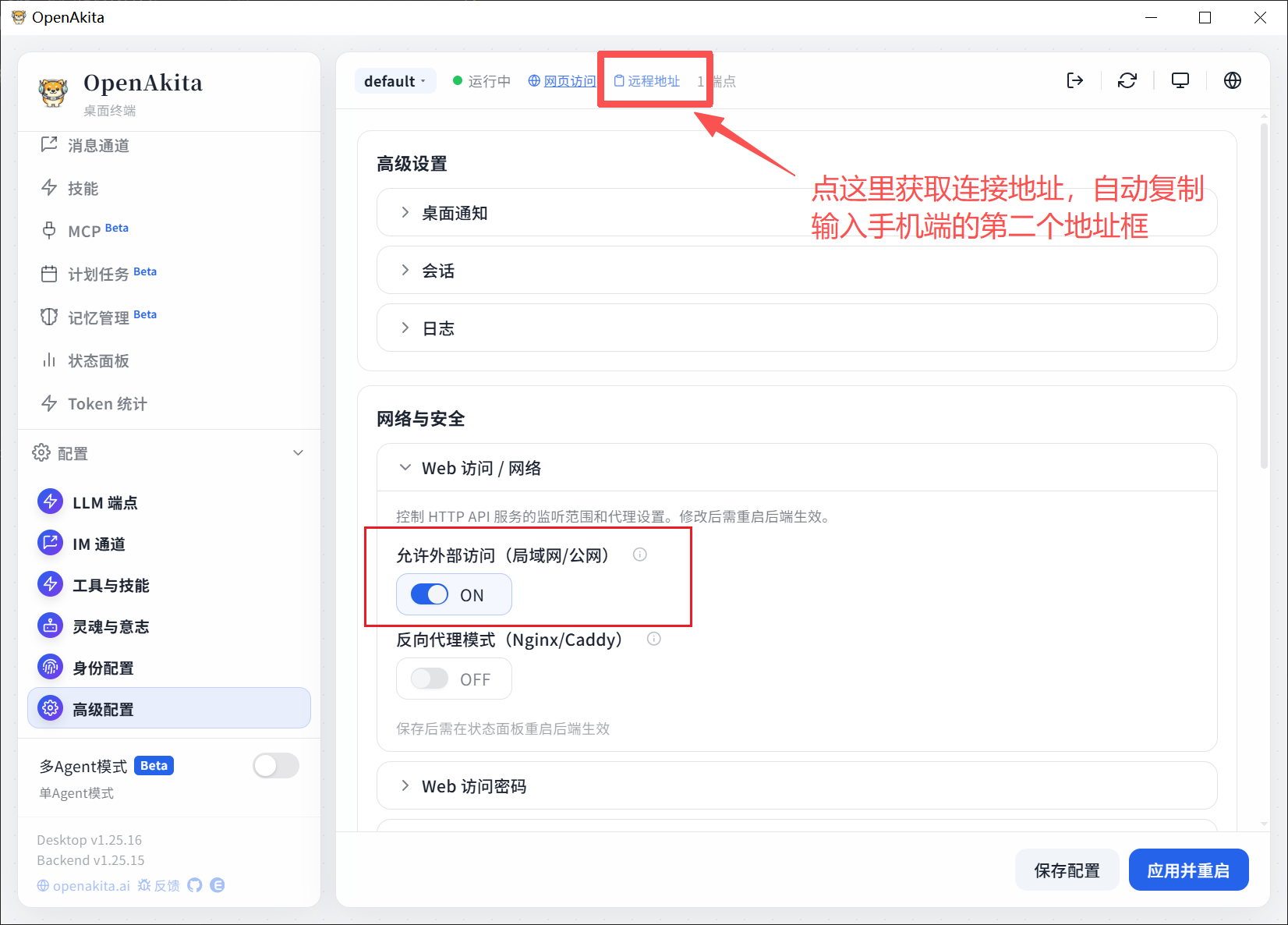
第二个框:填电脑/服务器的ip+端口,比如:192.168.1.29:18900
在电脑端,要打开“外部连接”
deepin 都是要付费的。
免费开源软件,不收费。
deepin 链接不上,后端也启动不了
连接不上服务,应该是安装完后,没有完成配置,要配置好LLM端点,也就是配置好大模型(要准备好大模型API,或者本地部署有大模型),联系通道也可以配置一下,配置完成了应该就能连接上了。
Popular Events
More

推荐一款好用的跨平台国产版开源AI小龙虾openakita,支持多agent协作。
下载地址:下载 OpenAkita - Desktop / CLI / Source
开源项目地址:Openakita/Openakita:一个开源的AI助手框架,具备技能和代理架构
注意:要下载unbuntu22那个,24这个依赖的glibc是39版本,deepin的版本不够,否则安装后软件无法启动。