中文
中文 
176******88 deepin
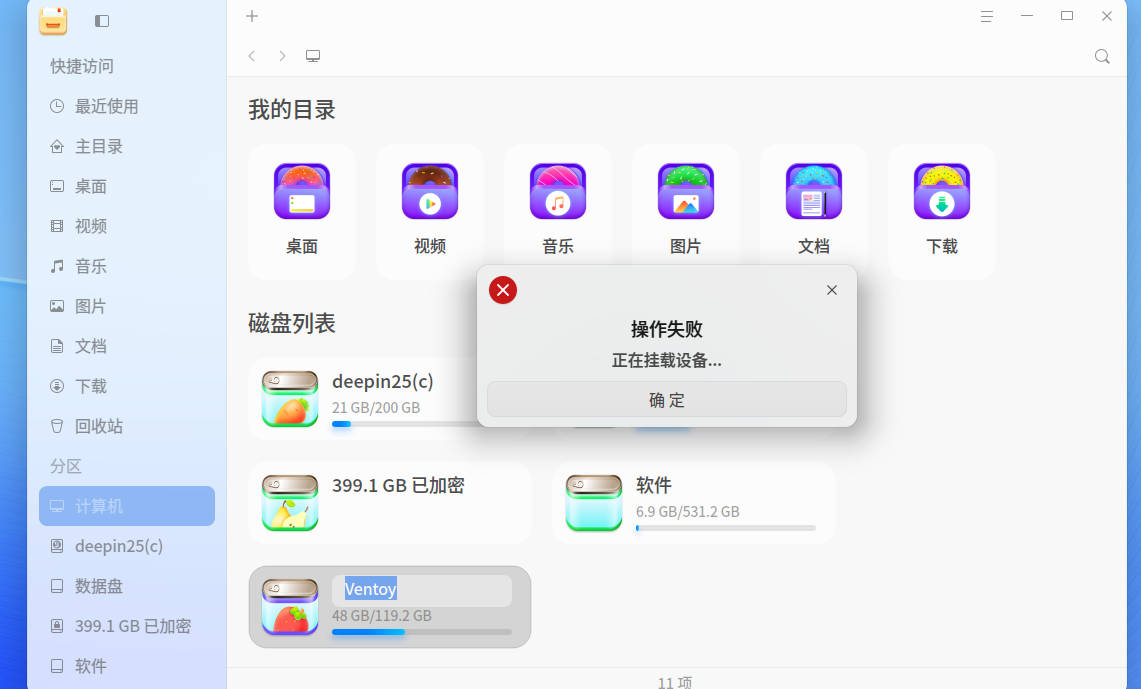
2026-02-25 09:06 deepin 大家在用u盘的时候有没有发现u盘不显示的时候其它系统都正常显示’
Reply Like 0 View the author
 deepin
 大家在用u盘的时候有没有发现u盘不显示的时候其它系统都正常显示’

 deepin
 我的基本正常,即使偶尔出现无法挂载的情况,直接拔出再插入,一般都能正常挂载
 deepin
 是ventoy那个U盘么,最终还是能用?
deepin 是ventoy那个U盘么,最终还是能用?
可以用
deepin 我的基本正常,即使偶尔出现无法挂载的情况,直接拔出再插入,一般都能正常挂载
可能是更新系统的问题
deepin 可能是更新系统的问题
不要更新系统
deepin 可以用
这个提示看起来应该是挂载的过程中,又手动的触发了挂载导致的报错。你这个U盘插入后出现这个报错,是什么都没操作,自动挂载后提示的吗,还是你双击了U盘?
deepin 这个问题似乎在Linux发行版下无解,你试试在Windows下特别是Windows10以上的主机上把U盘扫描一次就可以挂载了。
 deepin
 这个提示看起来应该是挂载的过程中,又手动的触发了挂载导致的报错。你这个U盘插入后出现这个报错,是什么都没操作,自动挂载后提示的吗,还是你双击了U盘?
是插入U盘,什么都没操作。自动提示。
deepin 这个问题似乎在Linux发行版下无解,你试试在Windows下特别是Windows10以上的主机上把U盘扫描一次就可以挂载了。
请问你在插入U盘可以正常挂载吗?
deepin 这个问题似乎在Linux发行版下无解,你试试在Windows下特别是Windows10以上的主机上把U盘扫描一次就可以挂载了。
在没有更新系统之前,u盘还是可以用的。
Popular Ranking
ChangePopular Events
More

 User Feedback & Bug Report - ITC (25.0.12)
插u盘不显示等一下出现正在挂载设备。大家看看是怎么回事。评论区回复’