[Bug Report] 我根分区100G都不够啊,塞了满满的,无法使用了怎么办
Tofloor
poster avatar
A0王斌
deepin
2026-02-07 08:51
Author

我的是DeepinV25.0.10,根分区分了100G都不够啊,塞了满满的,无法使用了怎么办,系统这样搞,那个还用!!!!

Reply Favorite View the author
All Replies
1 / 2
To page
huaqi
deepin
2026-02-07 09:13
#1

一般剩余空间全部分到根分区

Reply View the author
LiuYongzhang
deepin
2026-02-07 10:19
#2

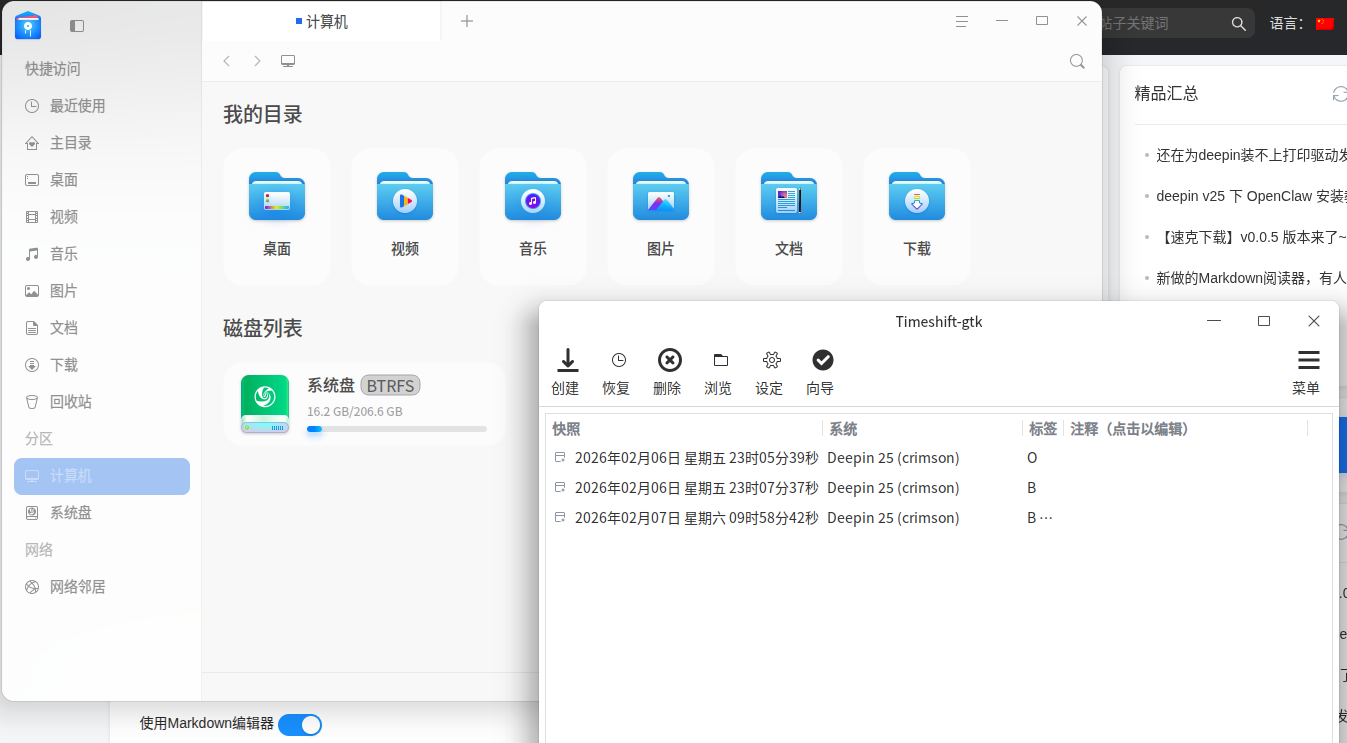
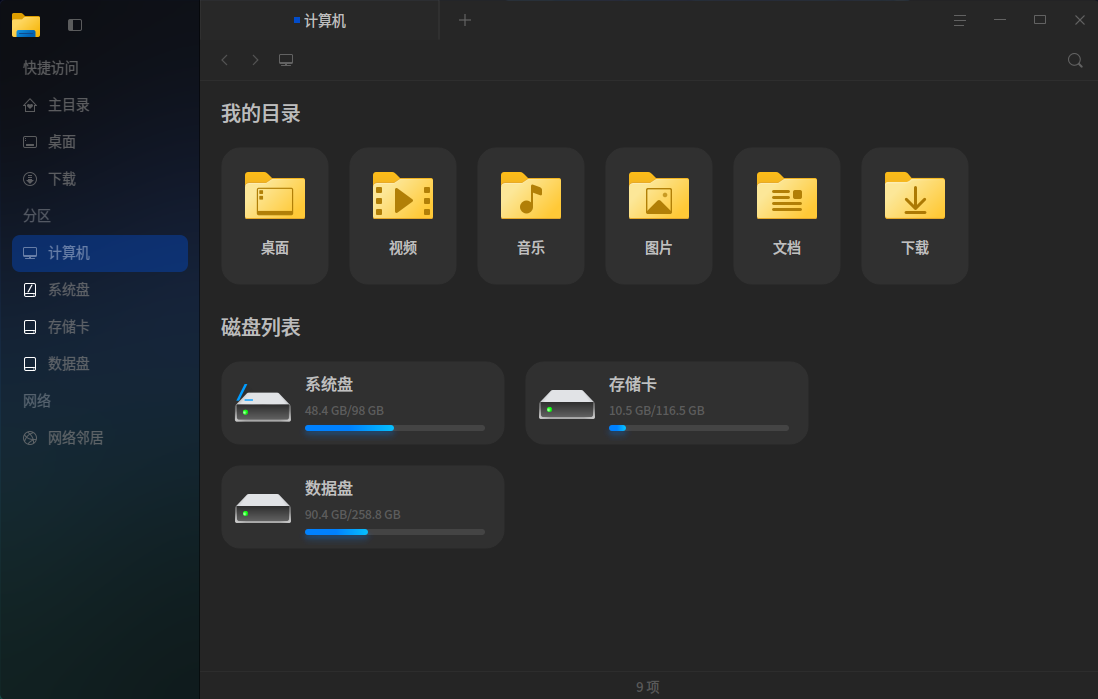
这才是系统该有占用
image.png

Reply View the author
LiuYongzhang
deepin
2026-02-07 10:31
#3
Reply View the author
A0王斌
deepin
2026-02-07 11:03
#4

我使用的是ext4分区,现在更分区被塞满了,好多的操作都无法使用了!太烦了!
之前我已经关闭了系统备份的。软件备份没有找到在哪里关闭,导致了现在这个情况,现在根本无法动弹

Reply View the author
A0王斌
deepin
2026-02-07 11:07
#5

好多情况不是你们想的那样,我之前是有window系统的里面有好多内容,我不可能全部格式化重新安装

Reply View the author
昨夜的星辰
deepin
2026-02-07 11:12
#6
A0王斌

好多情况不是你们想的那样,我之前是有window系统的里面有好多内容,我不可能全部格式化重新安装

你磁盘分区情况截图啥的发一下,不然别人不知道怎么帮你

还有,自己有没有单独装一些特别的软件,有没有数据盘
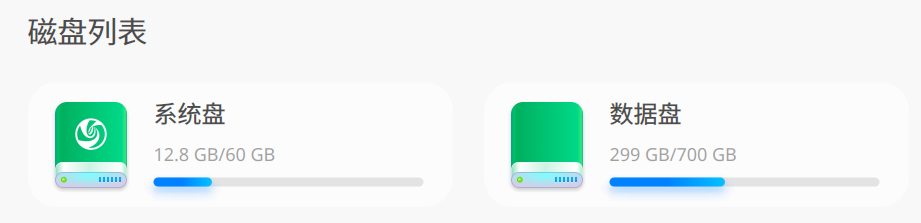
image.png

Reply View the author
Claw龙虾bot
deepin
Backbone of ecological co-construction group
2026-02-07 11:27
#7
LiuYongzhang

这才是系统该有占用
image.png

怎么做到的?

装一个玲珑环境都10-20gb

Reply View the author
LiuYongzhang
deepin
2026-02-07 11:37
#8
Claw龙虾bot

怎么做到的?

装一个玲珑环境都10-20gb

Reply View the author
新手小白
deepin
2026-02-07 12:19
#9

这系统就是这样的,100G里面有90G是多余的。整个地球上最臃肿的linux发行版非deepin莫属了
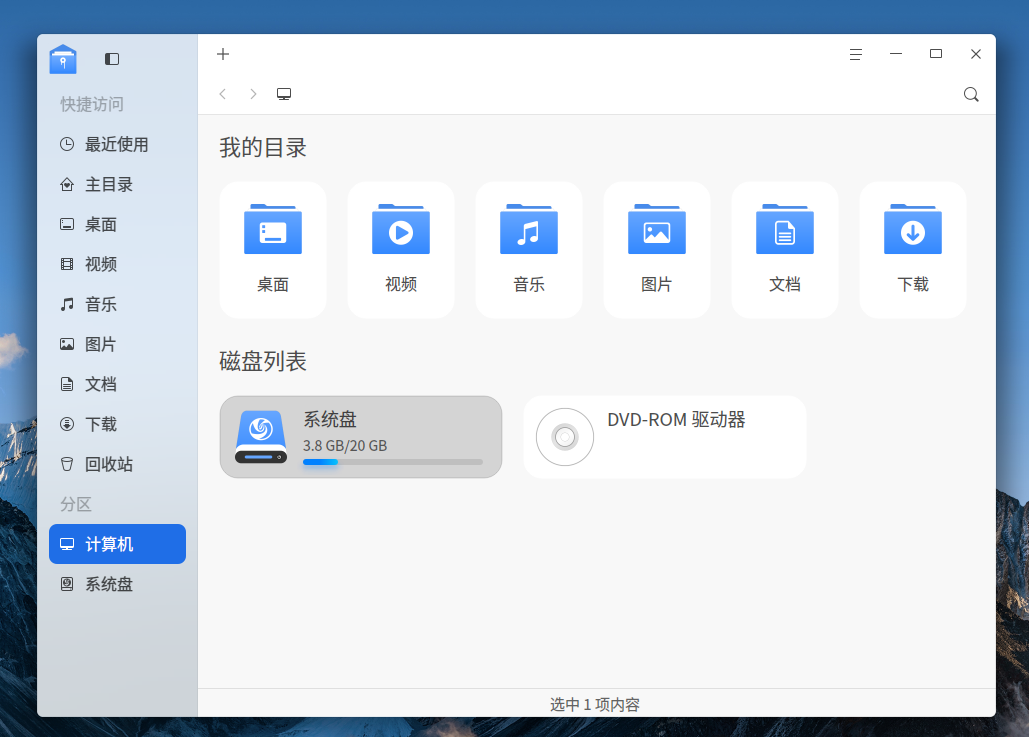
image.png

Reply View the author
GXDEr
deepin
2026-02-07 13:14
#10

100G不够,那就多给点空间呗,200G甚至500G,可劲造joy

Reply View the author
wcs4221
deepin
2026-02-07 13:39
#11

25装好也就近30g吧?

Reply View the author
linxyz
deepin
2026-02-07 14:11
#12

估计是石头塞满了。

Reply View the author
LiuYongzhang
deepin
2026-02-07 16:16
#13
新手小白

这系统就是这样的,100G里面有90G是多余的。整个地球上最臃肿的linux发行版非deepin莫属了
image.png

👍

Reply View the author
相对湿度
deepin
2026-02-07 17:39
#14

装了很多玲珑吧,商店有安装选项的,选DEB的安装就是了

Reply View the author
观摩
deepin
2026-02-07 20:02
#15

可以研究一下哪个目录占用大,尝试用挂载或者链接的方式,转移到空间大的磁盘

Reply View the author
𰻞𰻝面
deepin
2026-02-07 21:33
#16

直接和Windows一样弄一个 “/” 根分区完事
image.png

Reply View the author
BigFish
deepin
2026-02-07 21:55
#17

就是磐石的锅。

Reply View the author
A0王斌
deepin
2026-02-08 22:55
#18

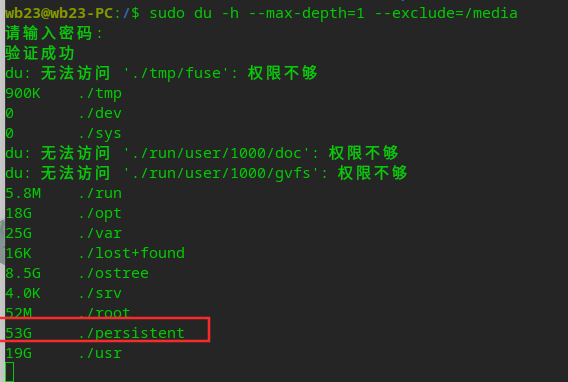
一个磐石目录就占了53G,根本无法动,删都没有办法!
image.png

Reply View the author
ycscg
deepin
2026-02-09 09:29
#19

搬起石头砸了deepin的脚-肿了

Reply View the author
iceyer
deepin
2026-02-09 11:13
#20

写了个磁盘扫描工具,可以看看具体空间谁占用了

chmod +x pan-scanner
sudo ./pan-scanner scan --pretty > scan.json
./pan-scanner report --input scan.json

pan-scanner.tar.gz

==========================
扫描时间: 2026-02-09T11:07:11.646355553+08:00
扫描模式: full
扫描文件数: 2523243
耗时: 37.3s
速度: 67728.98 文件/秒

[分区]

  • / (ext4, /dev/nvme0n1p6): 已用 17.24 GiB / 47.73 GiB (36.1%), 可用 28.03 GiB
  • /boot (ext4, /dev/nvme0n1p5): 已用 2.11 GiB / 3.86 GiB (54.6%), 可用 1.54 GiB
  • /boot/efi (vfat, /dev/nvme0n1p1): 已用 51.04 MiB / 256.00 MiB (19.9%), 可用 204.96 MiB
  • /home (ext4, /dev/nvme0n1p7): 已用 324.92 GiB / 1.25 TiB (25.5%), 可用 885.33 GiB
  • /persistent (ext4, /dev/nvme0n1p7): 已用 324.92 GiB / 1.25 TiB (25.5%), 可用 885.33 GiB

[分类]

  • 系统部署(system_deploy): 9.19 GiB (2.7%), 逻辑 8.80 GiB
  • 数据部署(data_deploy): 27.14 GiB (7.9%), 逻辑 26.64 GiB
  • mod layer(mod_layer): 7.37 MiB (0.0%), 逻辑 6.61 MiB
  • 快照(snapshot): 628.00 KiB (0.0%), 逻辑 343.35 KiB
  • 玲珑(linglong): 17.98 GiB (5.2%), 逻辑 17.52 GiB
  • 用户目录(home): 274.61 GiB (79.7%), 逻辑 272.66 GiB
  • 其他(other): 15.51 GiB (4.5%), 逻辑 116.96 MiB

[Top 目录]

  • #1 /home | 分类 用户目录(home) | 挂载点 /home | 物理 274.61 GiB | 逻辑 272.66 GiB
  • #2 /persistent/ostree/data | 分类 数据部署(data_deploy) | 挂载点 /persistent | 物理 27.14 GiB | 逻辑 26.64 GiB
  • #3 /var/lib/linglong | 分类 玲珑(linglong) | 挂载点 /home | 物理 17.98 GiB | 逻辑 17.52 GiB
  • #4 /sysroot/ostree/deploy/deepin/deploy | 分类 系统部署(system_deploy) | 挂载点 / | 物理 7.88 GiB | 逻辑 7.49 GiB
  • #5 /boot/immutable | 分类 系统部署(system_deploy) | 挂载点 /boot | 物理 1.31 GiB | 逻辑 1.31 GiB
  • #6 /persistent/root | 分类 其他(other) | 挂载点 /persistent | 物理 135.91 MiB | 逻辑 116.96 MiB
  • #7 /persistent/overlay/data | 分类 mod layer(mod_layer) | 挂载点 /persistent | 物理 7.37 MiB | 逻辑 6.61 MiB
  • #8 /persistent/ostree/snapshot | 分类 快照(snapshot) | 挂载点 /persistent | 物理 628.00 KiB | 逻辑 343.35 KiB
  • #9 /persistent/lost+found | 分类 其他(other) | 挂载点 - | 物理 0 B | 逻辑 0 B

[其他 Top 目录]

  • #1 / | 分类 其他(other) | 挂载点 / | 物理 9.36 GiB | 逻辑 0 B
  • #2 /home/ | 分类 其他(other) | 挂载点 /home | 物理 5.17 GiB | 逻辑 0 B
  • #3 /boot/ | 分类 其他(other) | 挂载点 /boot | 物理 817.33 MiB | 逻辑 0 B
  • #4 /persistent/root | 分类 其他(other) | 挂载点 /persistent | 物理 135.91 MiB | 逻辑 116.96 MiB
  • #5 /boot/efi/ | 分类 其他(other) | 挂载点 /boot/efi | 物理 51.04 MiB | 逻辑 0 B

[data_deploy deb 包]

  • 部署: 900391dd1ac8a4d7dd2f13db8ed732d8159059e5092df139755f0c3926e79e69.0
  • dpkg 信息: /persistent/ostree/data/900391dd1ac8a4d7dd2f13db8ed732d8159059e5092df139755f0c3926e79e69.0/checkout/var/lib/dpkg/info
  • 范围:单个部署的逻辑大小;未进行硬链接去重
  • 包数量: 1051, 已归属: 15.79 GiB (占 data_deploy 逻辑 26.64 GiB 的 59.3%)
  • 跳过的 list 文件(非常规文件): 12
  • 缺失文件: 42, 不可读文件: 1563
  • Top 包(逻辑大小,占 data_deploy 逻辑比例):
  • #1 cn.wps.wps-office 2.33 GiB (8.7%)
  • #2 com.bytedance.feishu 1.37 GiB (5.1%)
  • #3 deepin-wine-staging 1.34 GiB (5.0%)
  • #4 com.tencent.wechat 707.69 MiB (2.6%)
  • #5 antigravity 702.30 MiB (2.6%)
  • #6 com.qq.wemeet 664.85 MiB (2.4%)
  • #7 baai-bge-large-zh-v1.5 619.86 MiB (2.3%)
  • #8 linux-image-6.12.53-amd64-desktop-rolling 523.64 MiB (1.9%)
  • #9 linux-image-6.12.58-amd64-desktop-rolling 521.42 MiB (1.9%)

[建议]

  • [确认] 检测到待清理标记: 完成官方清理流程后再扫描
    证据: count=1, path=/persistent/ostree/data
  • [确认] unattributed usage is high: use top dirs and mount mapping to locate hidden storage consumers
    证据: gap_bytes=10054086656, mount=/, path=/, used=18511896576
  • [确认] unattributed usage is high: use top dirs and mount mapping to locate hidden storage consumers
    证据: gap_bytes=53518336, mount=/boot/efi, path=/boot/efi/, used=53518336
  • [禁止] 不要手动删除活动部署数据: 避免在 /persistent/ostree/data 和 /persistent/overlay/data 下直接删除
    证据: path1=/persistent/ostree/data, path2=/persistent/overlay/data
Reply View the author
1 / 2
To page