[Share Experiences] 还在为deepin装不上打印驱动发愁?这 25 家厂商的售后电话收好咯
Tofloor
poster avatar
yicold
deepin product team
2026-02-04 19:48
Author

2026-02-05 再次更新:打印机/扫描仪厂商驱动下载地址汇总

国外/合资品牌

  • 佳能 (Canon):
    • 官方支持: https://www.canon.com.cn/supports/service.html
    • 欧洲支持站: https://www.canon-europe.com/support
  • 柯尼卡美能达 (Konica Minolta): https://www.konicaminolta.com.cn/support/drivers/index.html
  • 富士胶片 (Fujifilm): https://m3support-fb.fujifilm-fb.com.cn/driver_downloads/www/
  • 兄弟 (Brother):
    • https://www.brother.cn/project/DomesticOS/
    • https://www.95105369.com/Web/Index.aspx
    • https://support.brother.com/g/b/productsearch.aspx?c=us&lang=en
  • 东芝泰格 (Toshiba Tec): https://www.toshiba-tec.com.cn/Service/driver-download.aspx
  • 爱普生 (Epson): https://www.epson.com.cn/Apps/tech_support/index.aspx
  • 夏普 (Sharp): https://www.sharp.cn/node/1323
  • 京瓷 (Kyocera): https://www.kyoceradocumentsolutions.com.cn/support/mfp/download
  • 柯达乐芮 (Kodak Alaris): https://www.kodakalaris.com/zh-hans/scanners
  • 理光 (Ricoh - 打印机): https://www.ricoh.com.cn/support/driver
  • 富士通 (Fujitsu) / 必福优 (PFU): http://www.pfu-sz.com.cn/download

国内品牌

  • 奔图 (Pantum): https://www.pantum.cn/support/download/driver/
  • 联想至像 / 高德品创: https://www.lenovoimage.com/index.php/services/servers_drivers?baseclass=0&cat_id=2
  • 上海中晶 (Microtek): http://www.microtek.com.cn/index/Download/index/catid/41.html
  • 得力 (Deli): https://www.nbdeli.com/services/download.html
  • 震旦 (Aurora): https://www.aurora.com.cn/oa/product/download
  • 辰光融信 / 立思辰: https://www.cgprintech.com/download_1/2.html
  • 天津国聚 (TSC): https://www.chinatsc.cn/zh-CN/downloads
  • 紫光图文: http://www.arc-uds.com/product/226.html
  • 中矗集团: https://www.zcjt.biz/download/17.html
  • 天津光电 (TOEC): https://www.toec.com/download.html
  • 世纪影源 (Winmage): http://winmage.com.cn/a/service/downloads/Linux/
  • 大连成者 (CZUR): https://www.czur.com/cn/support
  • 沧田智能: https://www.cumtenn.com/
  • 新良田:
    • https://www.eloam.cn/download-list
    • https://sdk.eloam.net/sdk/linux/
  • 科诚 (Godex):
    • https://s3.cn-north-1.amazonaws.com.cn/godex/VV6s4SJMuXKpd5D_eaEXzg.file?v01
    • https://www.godexintl.cn/downloads?type=15911717055210977&locale=zh_CN
  • 华为 (Huawei): https://bsupport.huawei.com/cn/tools/driver-list/
  • 长城: http://wenyin.gwi.com.cn:8083/driver/pc.html
  • 科密: http://www.cometgroup.com.cn/download.html
  • 佳博 (Gprinter): https://www.gprinter.net/qudong/
  • 方正: http://www.founderinternational.com/BusinessLayout/Hardware/index.html
  • 南京富电: http://www.nfet.net.cn/search/?keyword=dpk750&scode=8&searchtpl=search_down.htm
  • 晟拓: http://www.nfet.net.cn/downlist/stcpxiangguanxiazai/
  • 紫光 (Uniscan): http://uniscan.cn/support.html
  • 上海开顿 / 爱品胜: https://www.icsp.com.cn/download/
  • 宁波华高: https://www.huagaochina.com/download.html
  • 中船汉光 / 汉光联创: http://www.hgoafz.cn/news/list?tatid=20000000001

📢 2026-02-05 重要更新: 感谢热心网友的反馈!除了拨打厂家热线外,目前发现了一个更便捷的驱动聚合入口。

如果你不想一个个查厂家官网,可以直接去统信 UOS 生态官网的资源中心,那里汇总了大部分主流型号的驱动包。

建议大家先在上面的网页上搜一下,找不到再打上面表格里的厂家电话申请技术支持。


原帖:

最近在给单位配信创系统的安装打印驱动,发现很多时候自己摸索不如直接打电话问厂家。我把这几天搜集的 25 家主流打印机厂家的售后热线整理成了表格,涵盖了国产和进口主流品牌。大家在给信创系统装驱动时,如果遇到 .deb 包安装失败或者找不到 PPD 文件,直接打这些电话找技术支持就行。

品牌 售后服务热线
奔图 (Pantum) 400-060-1888
联想 (Lenovo) 400-6600-900
得实 (Dascom) 400-810-9988
实达 (Star) 400-6800-320
光电通 400-615-1880
沧田 400-008-1300
icsp 爱胜品 400-700-8021
航天信息 95113
中航 0755-86168185
南天 400-884-0010
惠普 (HP) 400-820-1015
佳能 (Canon) 010-85139999
爱普生 (Epson) 400-810-9977
兄弟 (Brother) 021-61271133
富士胶片 (原富士施乐) 400-820-5146
利盟 (Lexmark) 400-811-0055
京瓷 (Kyocera) 400-601-6028
理光 (Ricoh) 400-888-0022
柯尼卡美能达 400-820-2656
东芝 (Toshiba) 400-892-8068
震旦 (Aurora) 400-920-6568
日冲 (OKI) 400-610-8498
映美 (Jolimark) 400-930-8899
立象 (Argox) 020-2805-3918
斑马 (Zebra) 400-881-0257

希望对你有帮助~kissing_heart

Reply Favorite View the author
All Replies
tsgg
deepin
2026-02-04 19:52
#1

谢谢!分享!

Reply View the author
穿西装的万斯在统亻言
deepin
Backbone of ecological co-construction group
2026-02-04 20:38
#2

原来国外品牌也支持信创系统了

Reply View the author
kinggochj
deepin
12 hours ago
#3
穿西装的万斯在统亻言

原来国外品牌也支持信创系统了

其实 他们支持得更早😁

Reply View the author
deepin157
deepin
Ecological co-builder
11 hours ago
#4

感谢分享。外品牌老机型支持反而更好,十多年的老款打印机可以正常使用,但号称中国人自己的打印机的厂商反而不支持五年内的打印机国产系统(仅支持国外乌班图)。

Reply View the author
木白1208
deepin
10 hours ago
#5
deepin157

感谢分享。外品牌老机型支持反而更好,十多年的老款打印机可以正常使用,但号称中国人自己的打印机的厂商反而不支持五年内的打印机国产系统(仅支持国外乌班图)。

支持策略可能和打印厂商的商业考量相关😂

Reply View the author
yicold
deepin product team
10 hours ago
#6
木白1208

支持策略可能和打印厂商的商业考量相关😂

这可能真相了applaud

Reply View the author
辉辉
deepin
10 hours ago
#7
木白1208

支持策略可能和打印厂商的商业考量相关😂

也许他们就是个组装厂,根本没能力去研发适配Linux系统,方案商给什么样的方案,他们把logo什么的改改就是自己出品。

Reply View the author
克亮
Moderator
3 hours ago
#8

agree 官方这么干,就对了。

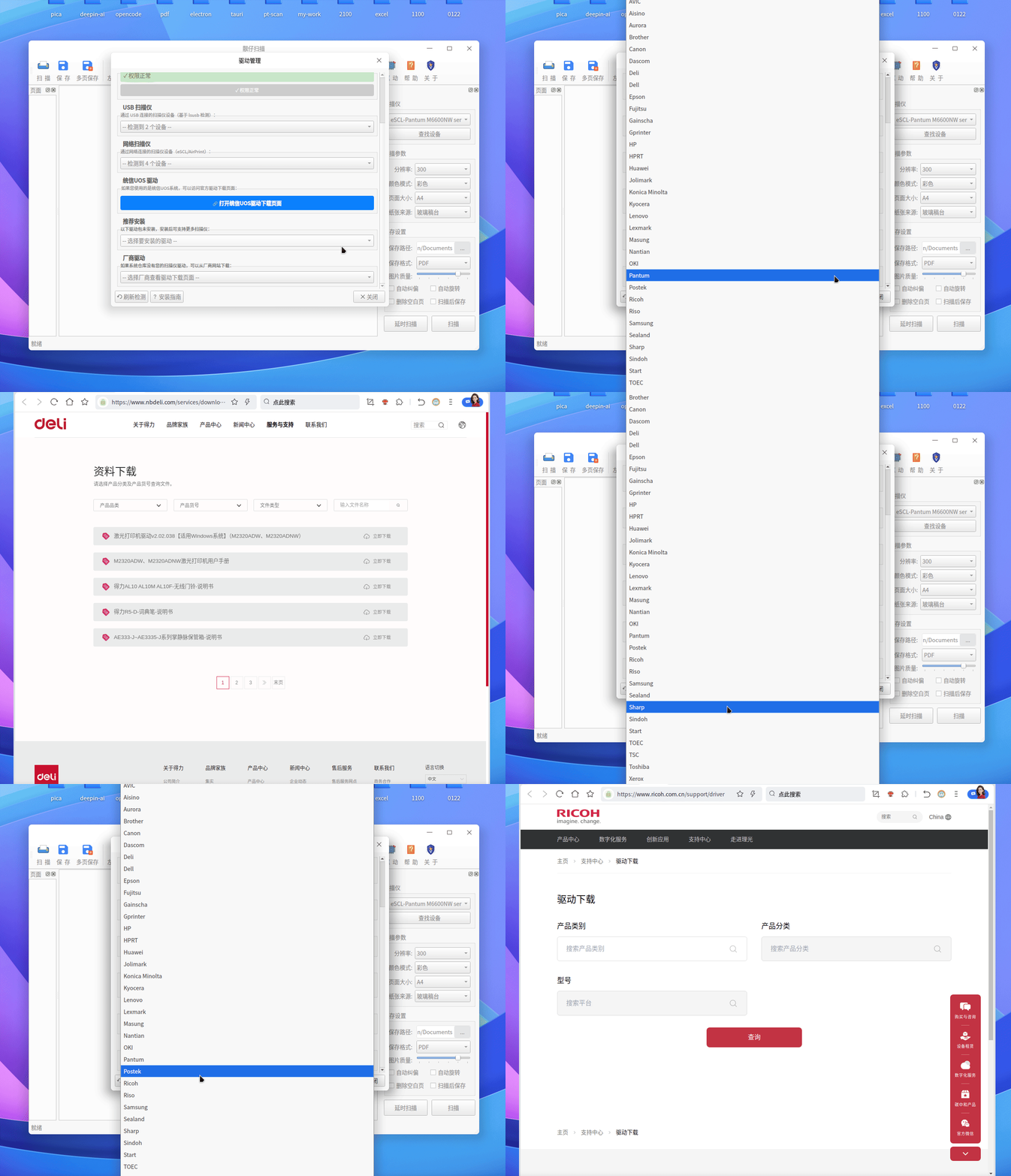
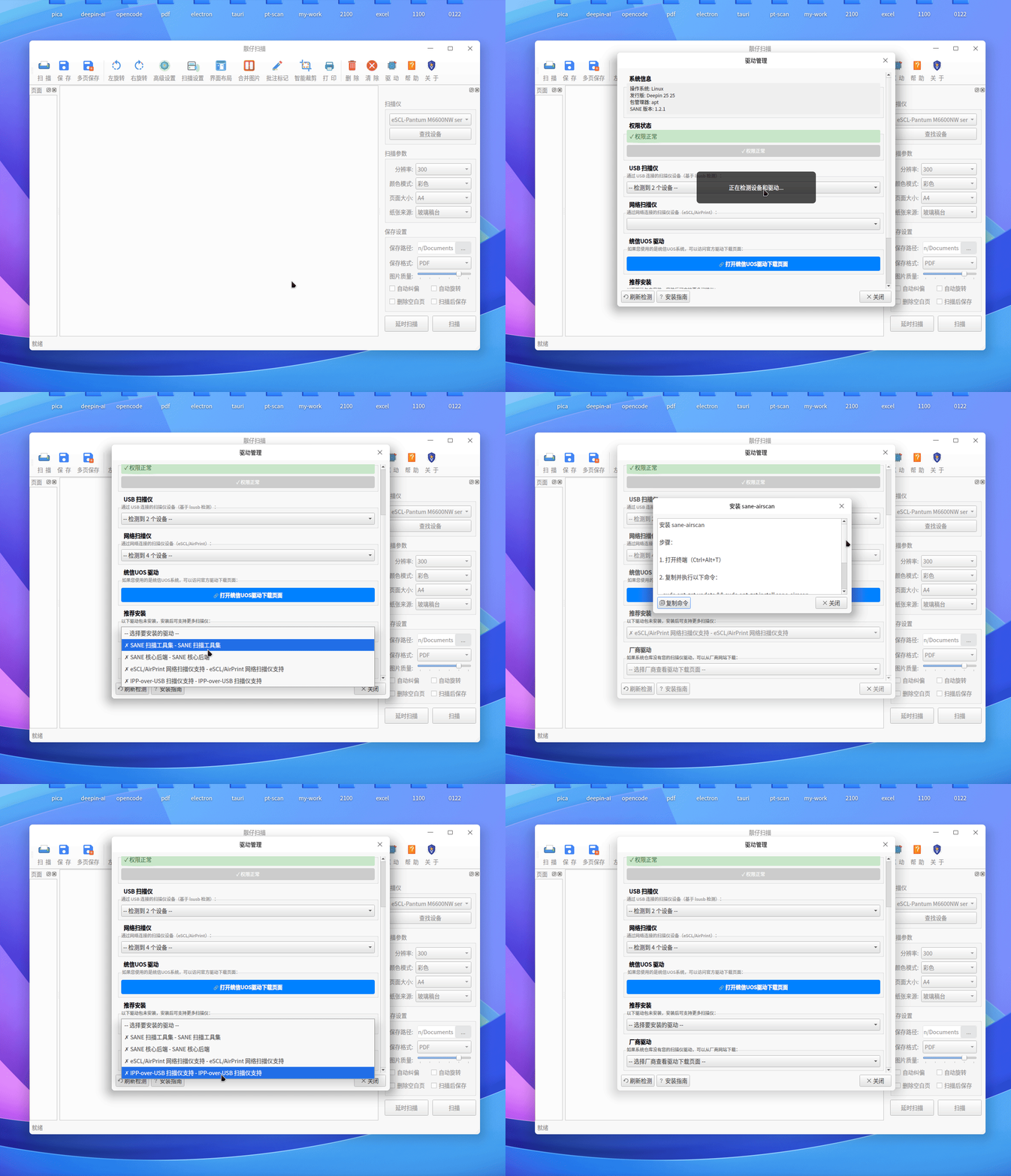
同时靓仔扫描在起初版本就开始尝试内置驱动管理功能,收集了超过35个品牌的驱动厂商一键直达。

同时,增加了常用系统组件命令,进几年出的打印机设备基本上都支持ipp-usb协议。

https://bbs.deepin.org.cn/post/293723 (简单介绍了ipp-usb)扫描部分,其实打印同样可以完美实现。
Peek 2026-02-05 18-10.gif

Peek 2026-02-05 18-14.gif

Reply View the author