

 中文
中文 
梦小鹿_ ღ deepin
2025-11-01 23:59 deepin 666
Reply Like 0 View the author
deepin 666

 deepin
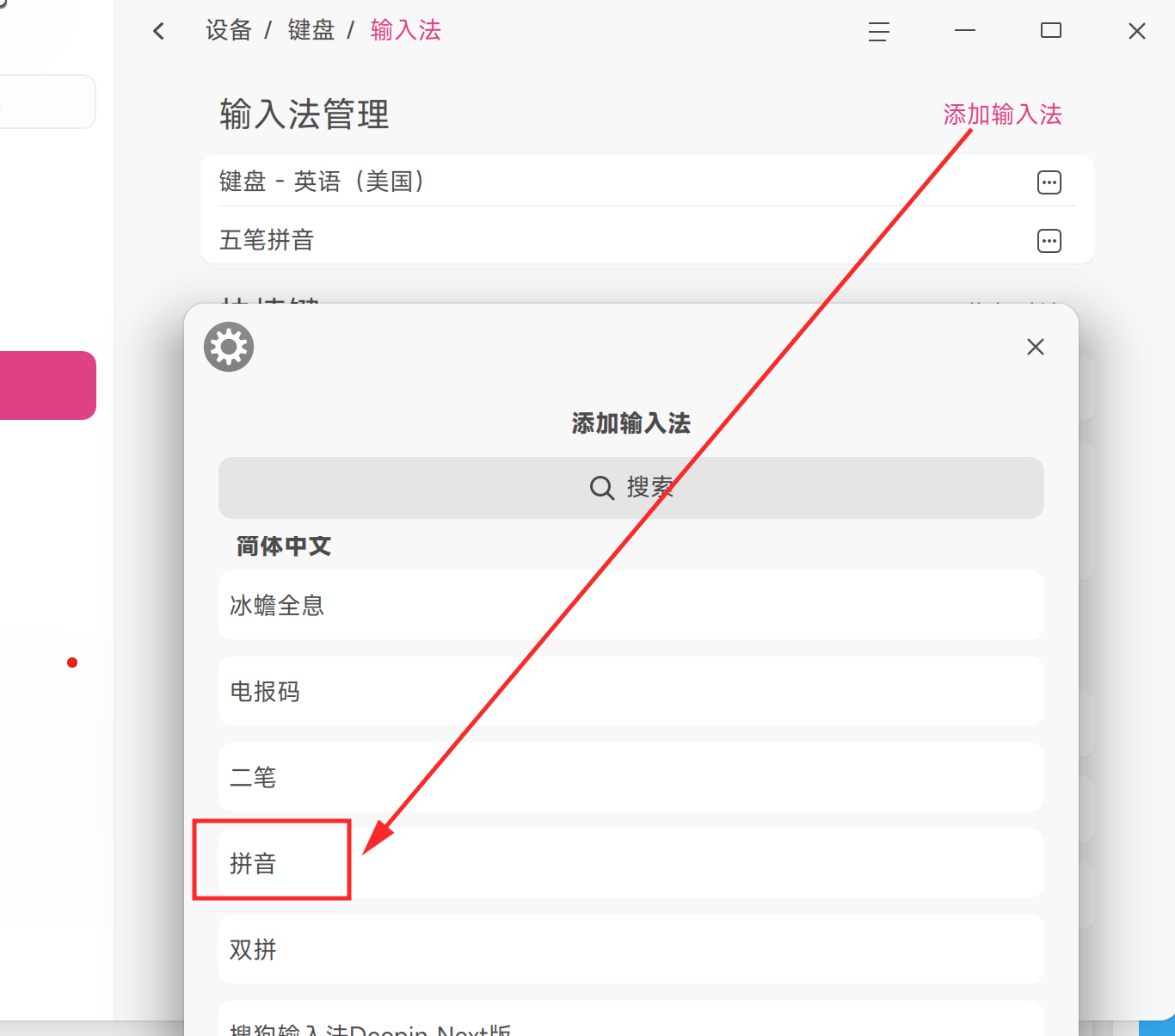
 拼音pinyin is better than sogou,so,if can use pinyin, do not use sogou
 deepin
 拼音pinyin is better than sogou,so,if can use pinyin, do not use sogou
but I can't find IME setting panel in "setting -> device -> keyboard", there are only two setting items : keyboard layout and shortcut keys. I don't know, maybe there is a problem from fcitx, that is why I tried to upgrade my system and fcitx5, but the upgrade failed.

 deepin
 是祭出重装大法的时候了
 deepin
 很奇怪啊,按照deepin官方给出的正常镜像,一般都是安装完系统就自动安装好一个专门适配的搜狗输入法,不知道是不是你之前动过了相关设置了。
按照你给出的报错截图,coreutils在安装时,dpkg表示没找到liblzma5的依赖。
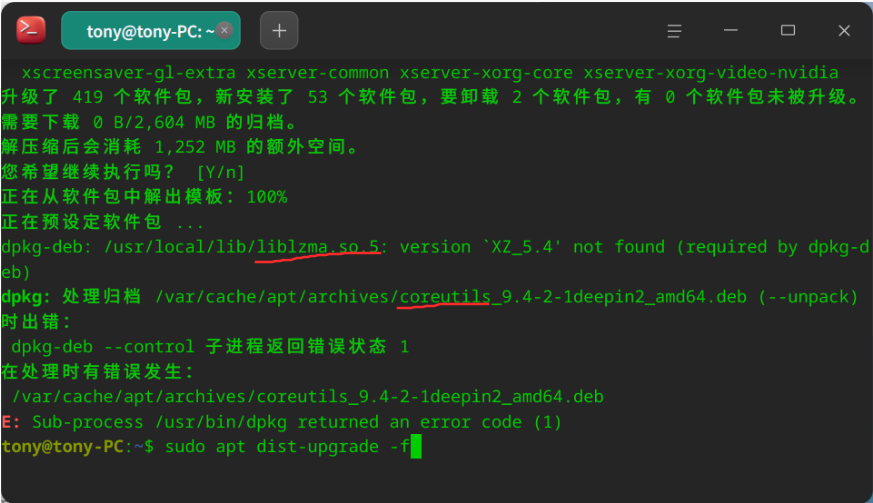
奇怪的是,我这里使用龙架构版deepin 25时,coreutils的control里并没有写有liblzma5的依赖。
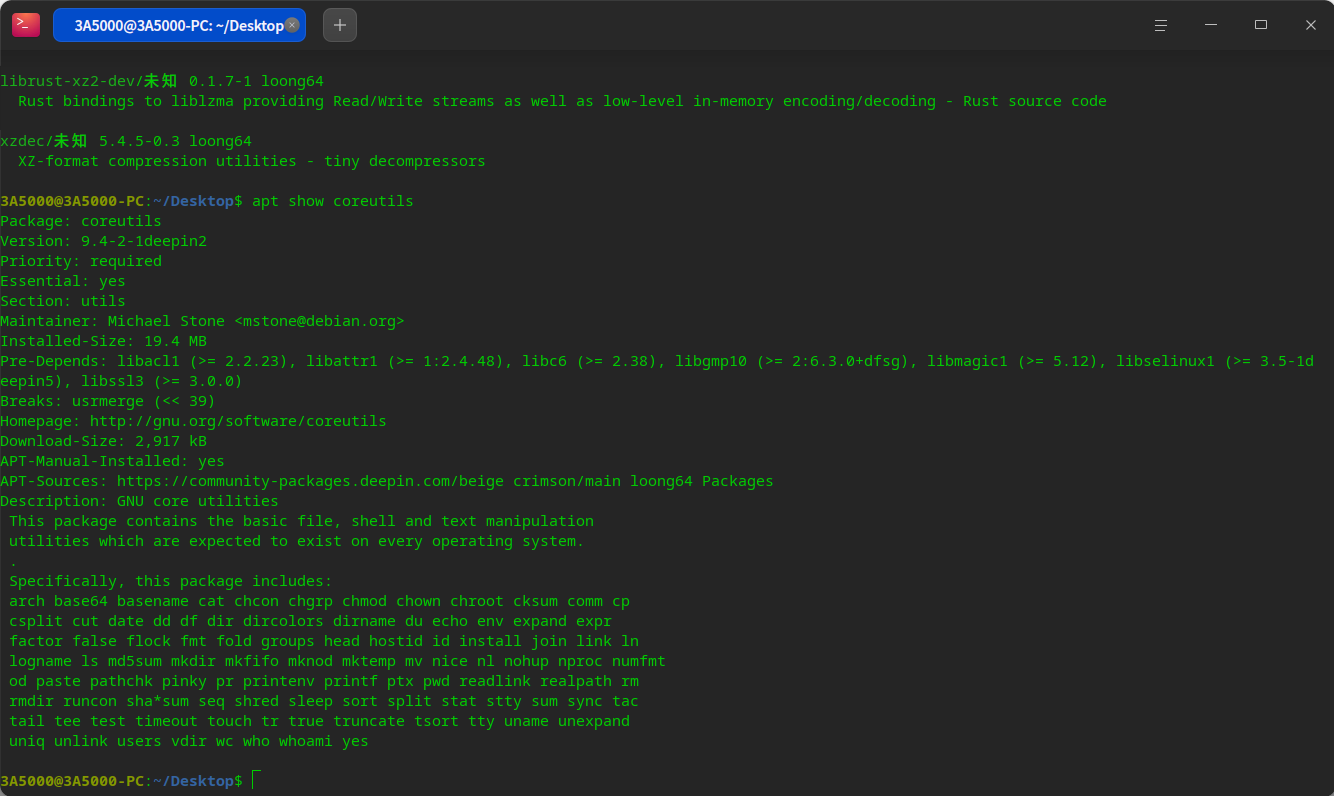
而我的龙芯deepin 25,liblzma5是装好的:
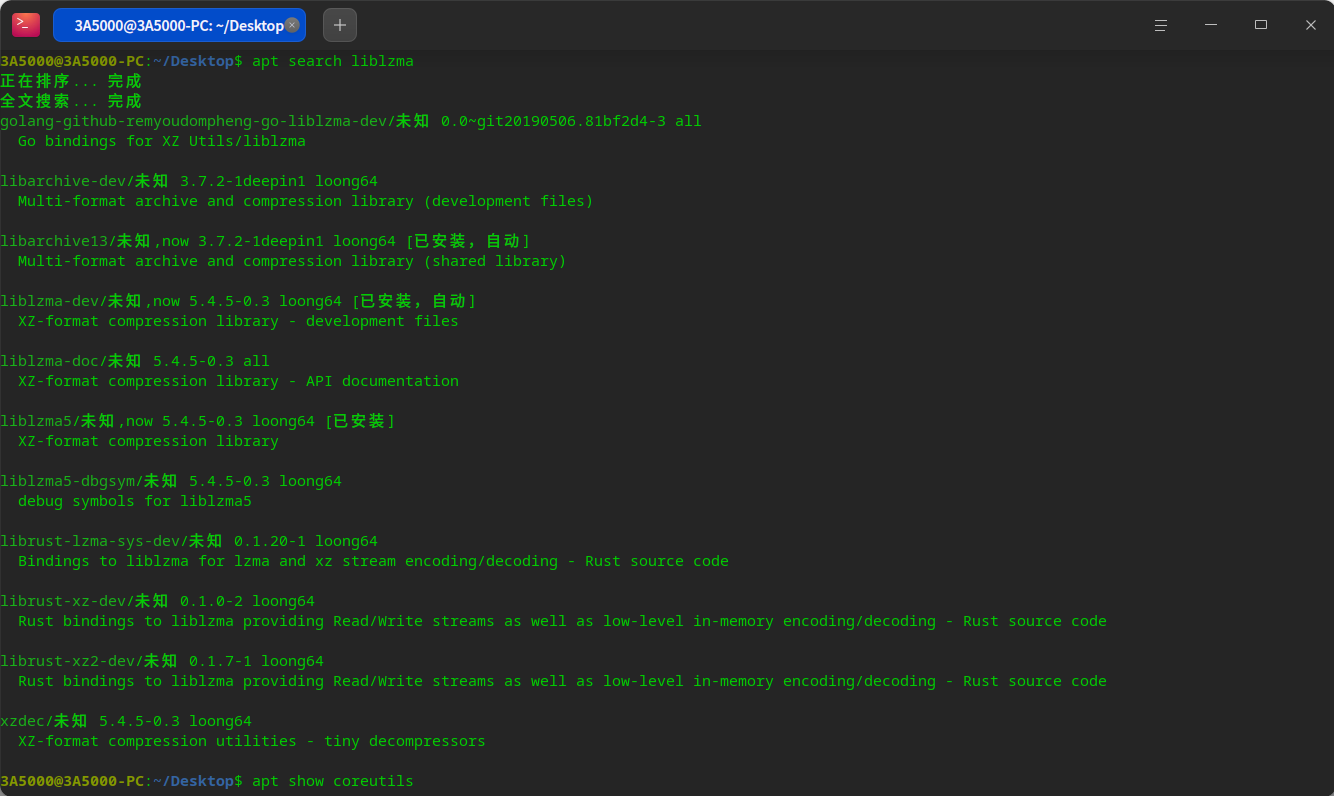
我不知道x86那边的coreutils对于依赖是怎么要求的,但大概和龙架构一样。
你可以尝试手动安装liblzma5:
sudo apt install liblzma5
不过我是用了系统自带的输入法,搜狗输入法Linux版没有了云词库,用起来并不方便。
可是deepin默认的输入法,没有安装云拼音模块,需要手动安装:
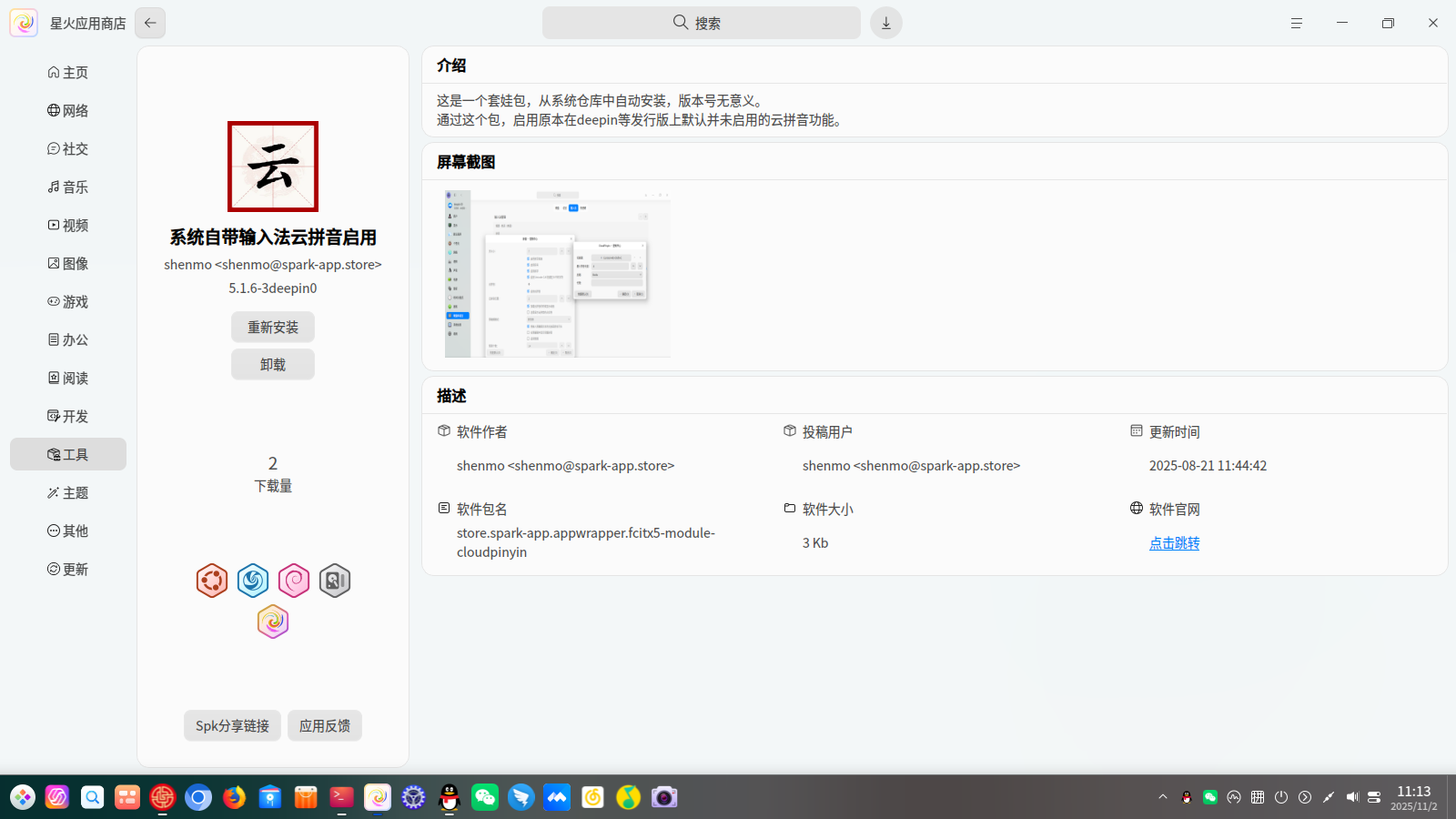
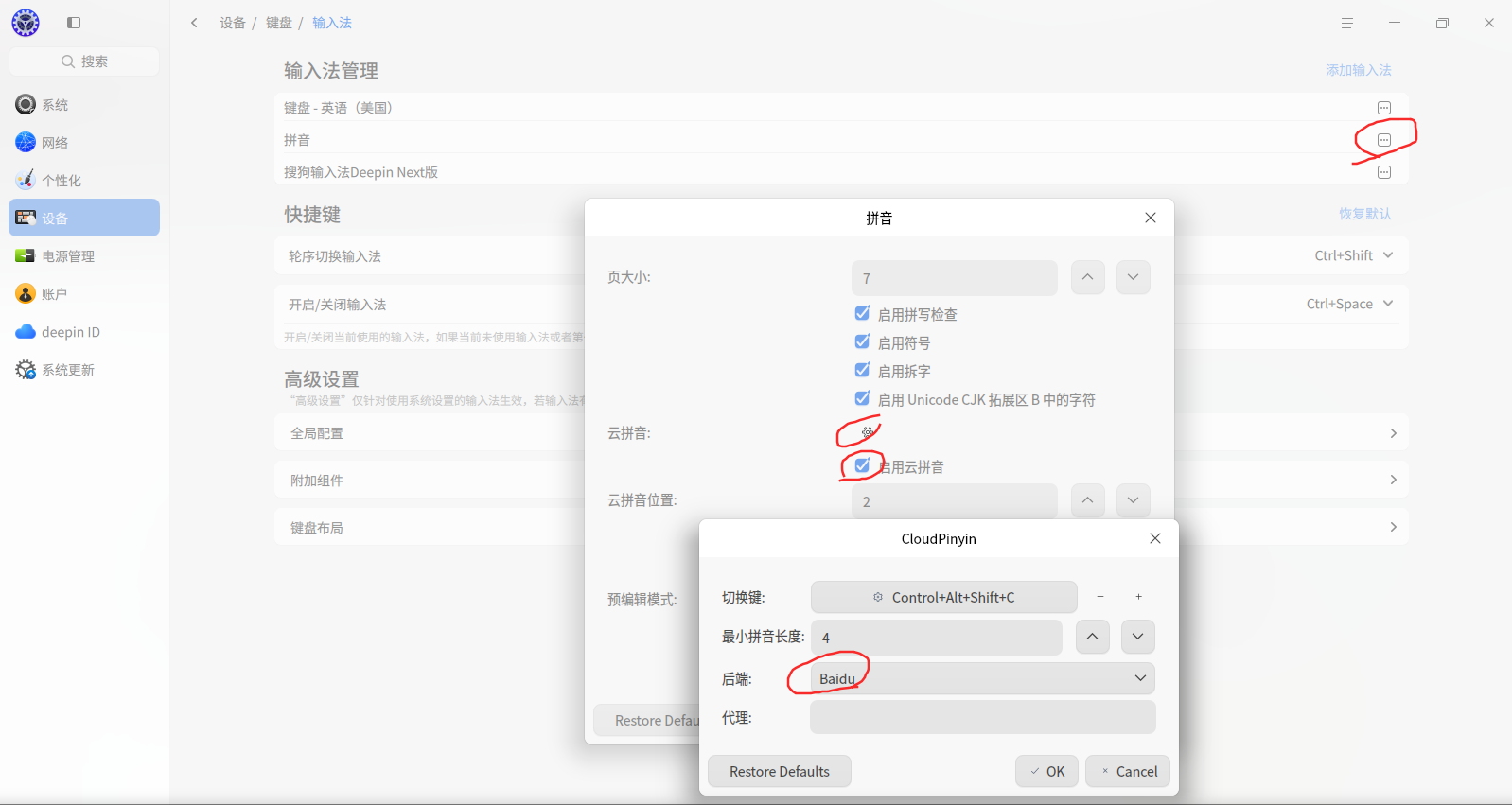
然后重启输入法模块后,在设置里勾选启用云拼音并更换服务器:
deepin 很奇怪啊,按照deepin官方给出的正常镜像,一般都是安装完系统就自动安装好一个专门适配的搜狗输入法,不知道是不是你之前动过了相关设置了。
按照你给出的报错截图,coreutils在安装时,dpkg表示没找到liblzma5的依赖。
奇怪的是,我这里使用龙架构版deepin 25时,coreutils的control里并没有写有liblzma5的依赖。
而我的龙芯deepin 25,liblzma5是装好的:
我不知道x86那边的coreutils对于依赖是怎么要求的,但大概和龙架构一样。
你可以尝试手动安装liblzma5:
sudo apt install liblzma5
不过我是用了系统自带的输入法,搜狗输入法Linux版没有了云词库,用起来并不方便。
可是deepin默认的输入法,没有安装云拼音模块,需要手动安装:
然后重启输入法模块后,在设置里勾选启用云拼音并更换服务器:
yes, I think that is the right reason, and here are my steps to solve this problem.
dpkg-deb: /usr/local/lib/liblzma.so.5: version `XZ_5.4' not found (required by dpkg-deb)
dpkg: 处理归档 /tmp/apt-dpkg-install-JiOAVW/00-fcitx5-data_5.1.11-2deepin13_all.deb (--unpack)时出错:
 dpkg-deb --control 子进程返回错误状态 1


tony@tony-PC:~$ ls -l /lib/x86_64-linux-gnu/liblzma.so.5*
lrwxrwxrwx 2 root root     16  7月 2日 15:05 /lib/x86_64-linux-gnu/liblzma.so.5 -> liblzma.so.5.4.5
-rw-r--r-- 2 root root 194552 1970年 1月 1日 /lib/x86_64-linux-gnu/liblzma.so.5.4.5
tony@tony-PC:~$ xz --version
xz (XZ Utils) 5.2.5
liblzma 5.2.5
then try to upgrade these two items, but apt said they are newest version. I think there is another old version of liblzma in my system, so find it out and delete/rename the old version files. it should be works.
tony@tony-PC:~$ sudo apt-get install --only-upgrade xz-utils liblzma5
正在读取软件包列表... 完成
正在分析软件包的依赖关系树... 完成
正在读取状态信息... 完成
xz-utils 已经是最新版 (5.4.5-0.3)。
liblzma5 已经是最新版 (5.4.5-0.3)。
升级了 0 个软件包,新安装了 0 个软件包,要卸载 0 个软件包,有 412 个软件包未被升级。
tony@tony-PC:/usr$ ls -l /var/usrlocal/lib/liblzma.*
-rw-r--r-- 1 root root 1566772 10月 8日 19:55 /var/usrlocal/lib/liblzma.a
-rwxr-xr-x 1 root root     950 10月 8日 19:55 /var/usrlocal/lib/liblzma.la
lrwxrwxrwx 1 root root      16 10月 8日 19:55 /var/usrlocal/lib/liblzma.so -> liblzma.so.5.2.5
lrwxrwxrwx 1 root root      16 10月 8日 19:55 /var/usrlocal/lib/liblzma.so.5 -> liblzma.so.5.2.5
-rwxr-xr-x 1 root root  744752 10月 8日 19:55 /var/usrlocal/lib/liblzma.so.5.2.5

tony@tony-PC:/usr$ sudo mv /var/usrlocal/lib/liblzma.so /var/usrlocal/lib/liblzma.so0
tony@tony-PC:/usr$ sudo mv /var/usrlocal/lib/liblzma.so.5 /var/usrlocal/lib/liblzma.so.50
now, I can reinstall fcitx5-pinyin, restart my system, hope it works, ^_^. thanks everyone here.
tony@tony-PC:/usr$ sudo apt install fcitx5-pinyin
正在读取软件包列表... 完成
正在分析软件包的依赖关系树... 完成
正在读取状态信息... 完成
将会同时安装下..
正在处理用于 libgtk-4-1:amd64 (4.16.7+ds-1deepin1) 的触发器 ...
正在设置 fcitx5-pinyin:amd64 (5.1.6-3deepin0) ...
正在处理用于 bamfdaemon (0.5.6+repack-1) 的触发器 ...
Rebuilding /usr/share/applications/bamf-2.index...
正在设置 fcitx5-pinyin-gui:amd64 (5.1.6-3deepin0) ...
正在设置 fcitx5-module-pinyinhelper:amd64 (5.1.6-3deepin0) ...
关闭问题,重启后正常拼音输入了😄
Popular Events
More


 WhatsApp doesn't work in the official Deepin browser!
hi,
I need to type some Chinese with fcitx5-sogou today, and when I open the setting, the input method does not appear in the keyboard page. so I tried to update sogou ime "
sudo apt install com.sogou.ime.ng.fcitx5.deepin" ,and "sudo apt dist-upgrade -f" failed again. error return as "E: Sub-process /usr/bin/dpkg returned an error code (1)". please help me to figure it out. thx. my system version is 6.6.93-amd64-desktop-hwe