

 中文
中文 
jjcui8595 deepin
2023-05-16 16:33 deepin 参考以下帖子:
https://bbs.deepin.org/post/239229
Reply Like 0 View the author
 deepin
 参考以下帖子:
https://bbs.deepin.org/post/239229

 deepin
 将下面的代码保存为wine.desktop文件,复制到/usr/share/applications中,就可以双击直接打开绿色版的WIN软件(第一次要设置关联)
[Desktop Entry]
Name=Deepin-Wine
Name[zh_CN]=Deepin-Wine
GenericName=Launch by Deepin-Wine6-stable
GenericName[zh_CN]=使用Wine运行
Comment=Launch by Wine
Comment[zh_CN]=使用Wine运行
MimeType=application/octet-stream
Keywords=exe;scr;
Exec=deepin-wine6-stable start /unix %f
Icon=wine
Terminal=false
Type=Application
NoDisplay=true
Categories=System;Utility;
StartupNotify=true
 deepin
 看了以上教程稍微有点麻烦。可以安装wine游戏助手,用它安装

 deepin
 哪有那么麻烦 直接exe目录下 右键打开终端 wine abc.exe 就行。
 deepin
 试试 gfdgd_xi 的 wine运行器

 deepin
 wine运行器直接试试
 deepin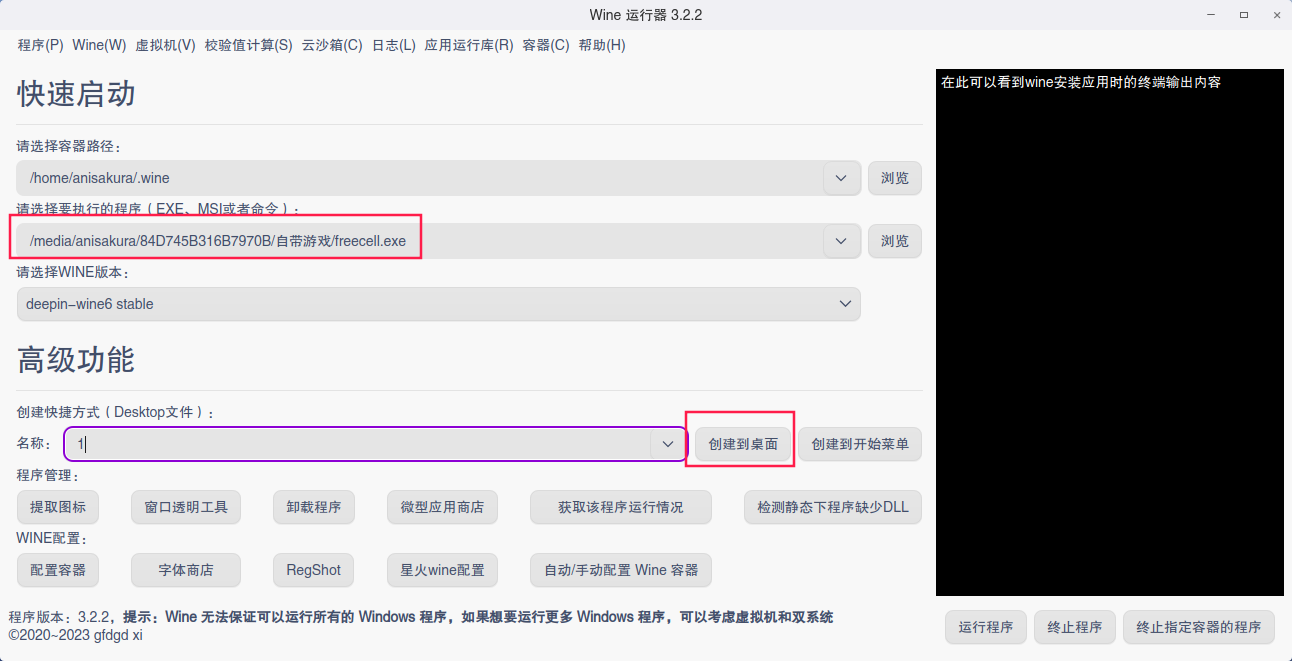
 deepin
 不是分分钟的事情么。。。
直接终端:
deepin-wine xxxx.exe
这么运行后,机器直接死了😂
Popular Ranking
ChangePopular Events
More

 Hello
Hello
请问能否做一个类似于运行WINDOW下的绿色软件的WINE程序,比方说我直接运行wine /software/abc.exe